Guides · Step-by-step guide

How to Upgrade Existing Troops

Promote lower-level troops through the correct barracks so they move toward your highest unlocked level.

Before you begin

The quickest route

  1. Open the barracks for the troop type you want to promote.
  2. Select the lower-level troops and choose the required quantity.
  3. Confirm the promotion target before committing resources.
  1. Step 1

    Open the correct barracks

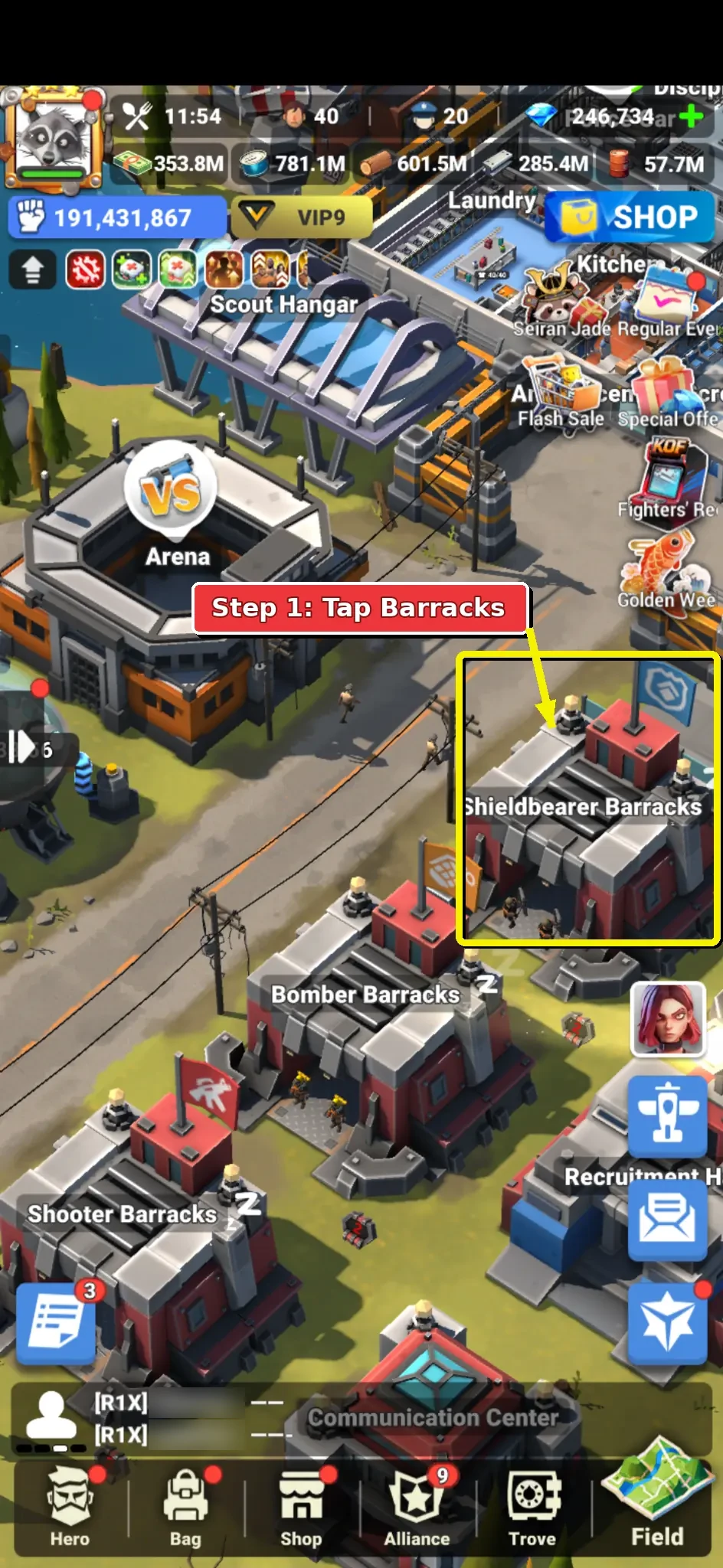
    From your prison screen, find the barracks for the troop type you want to upgrade.

    This example uses Shieldbearer Barracks. Use Shooter Barracks or Bomber Barracks if you are upgrading those troop types instead.

    Tap the barracks to open the troop-management page for that troop class.
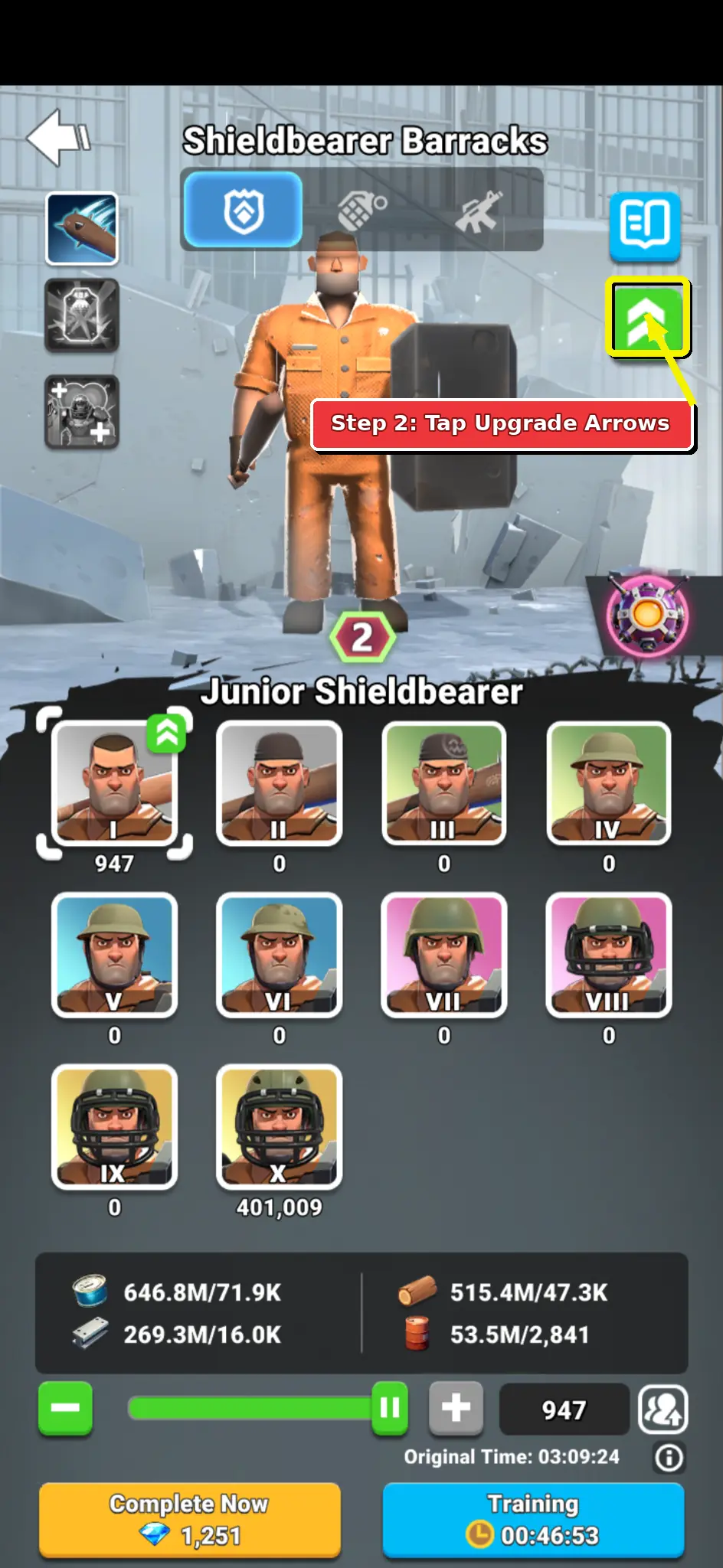
  2. Step 2 screenshot showing the green upgrade arrows button on the barracks troop page.

    Step 2

    Open Soldier Promotion

    On the barracks troop page, look at the upper-right side of the screen.

    Tap the green button with two white arrows pointing up.

    This opens Soldier Promotion, where lower-level troops can be promoted into the highest level currently available on your account.

    Do not tap the blue book icon; that opens information or help, not the promotion flow.

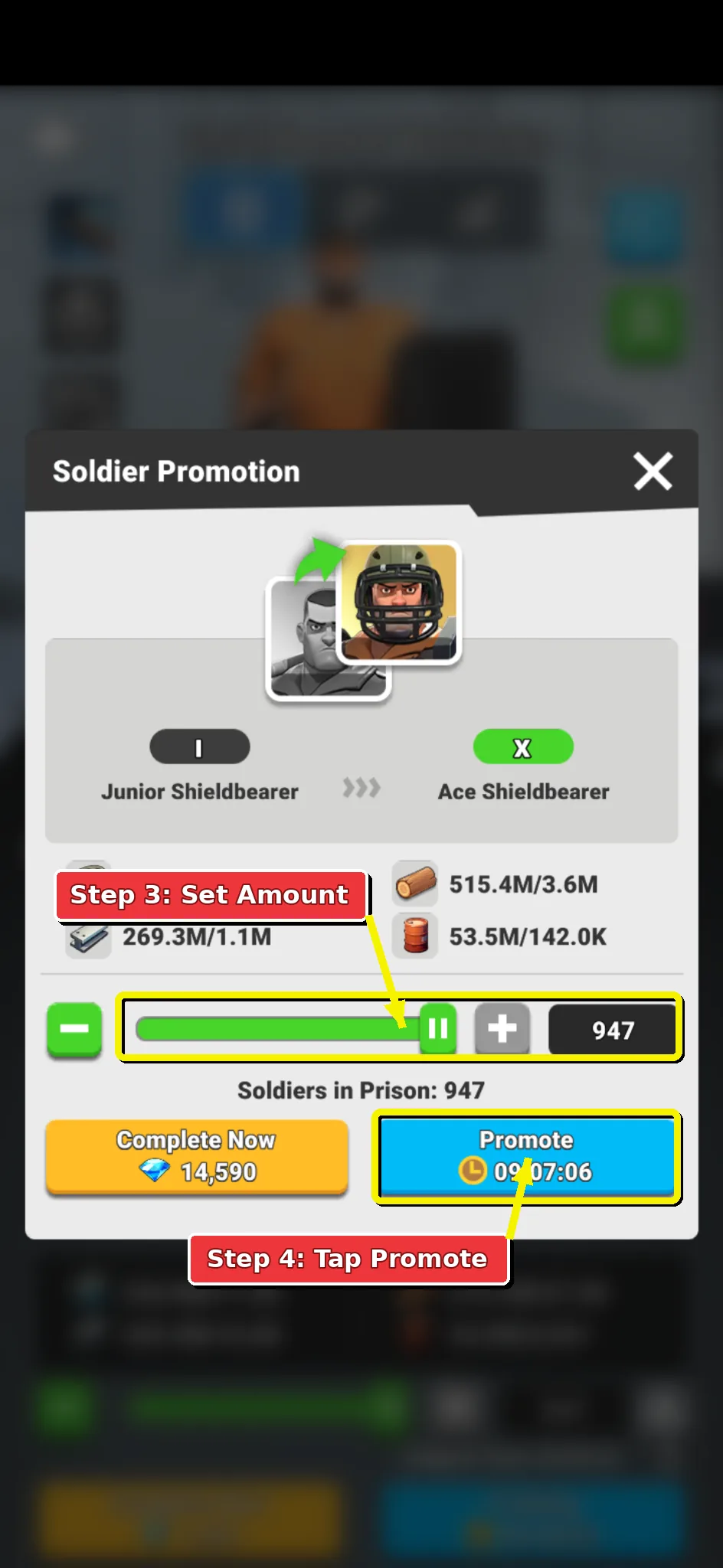
  3. Step 3 screenshot showing the Soldier Promotion panel quantity controls and Promote button.

    Step 3

    Set the amount and promote

    Use the slider, minus and plus buttons, or number field to choose how many troops to promote.

    The resource totals and timer update when you change the amount. Promoting fewer troops costs less and is faster; promoting more troops upgrades more units in one batch.

    Tap Promote at the bottom-right of the panel, then wait for the timer to finish. Use Complete Now only if you intentionally want to spend diamonds.

    Repeat this process for Shieldbearers, Shooters, and Bombers until each troop type is upgraded as far as your current unlocks allow.