
Step 1
Open the relocation menu
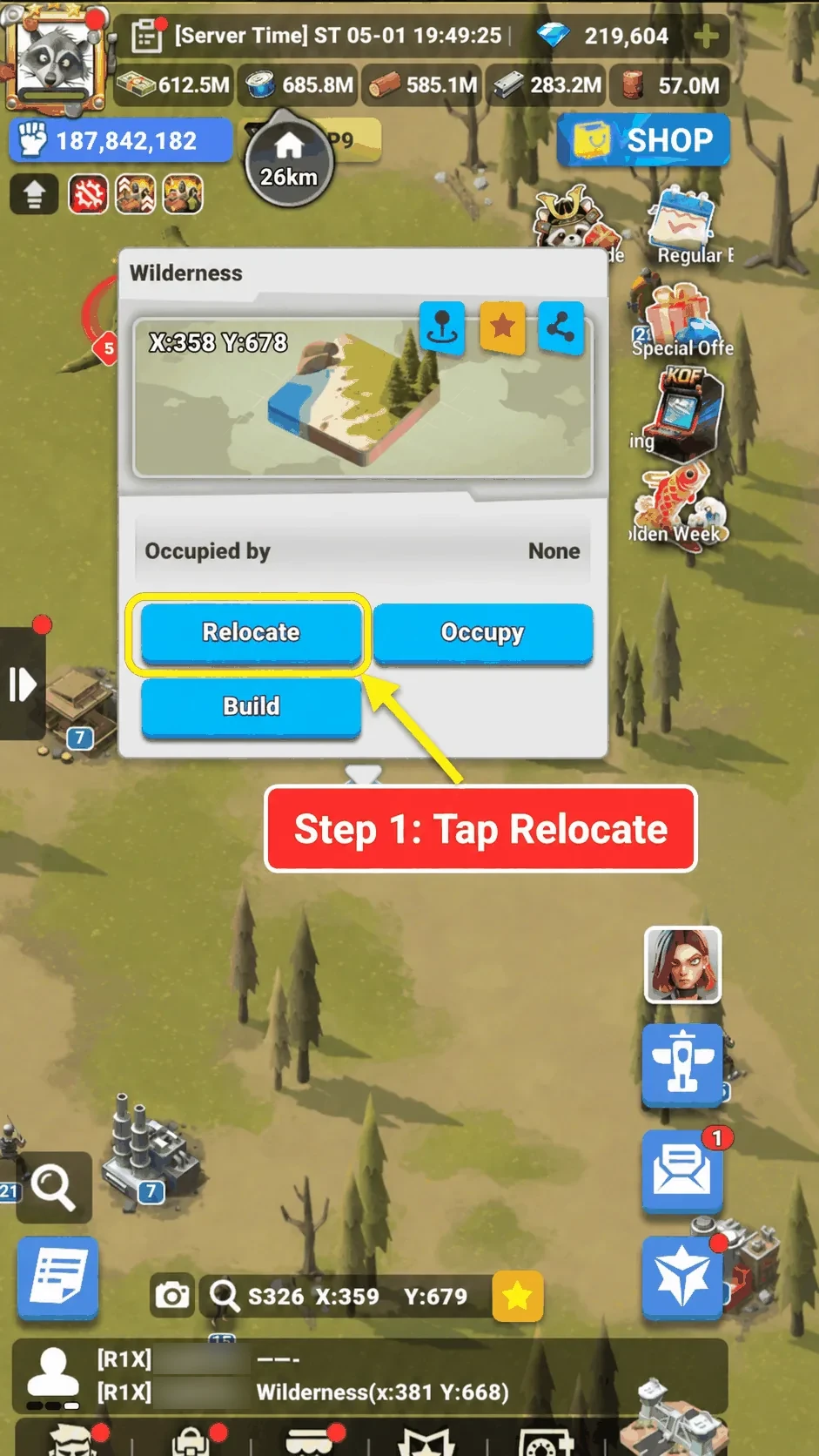
Click on the map where you want to move your prison. This will bring up the location menu.
Then click the Relocate button.
Guides · Step-by-step guide
Move your prison to a chosen map location using the relocation menu.
Before you begin
Step 1
Click on the map where you want to move your prison. This will bring up the location menu.
Then click the Relocate button.
Step 2
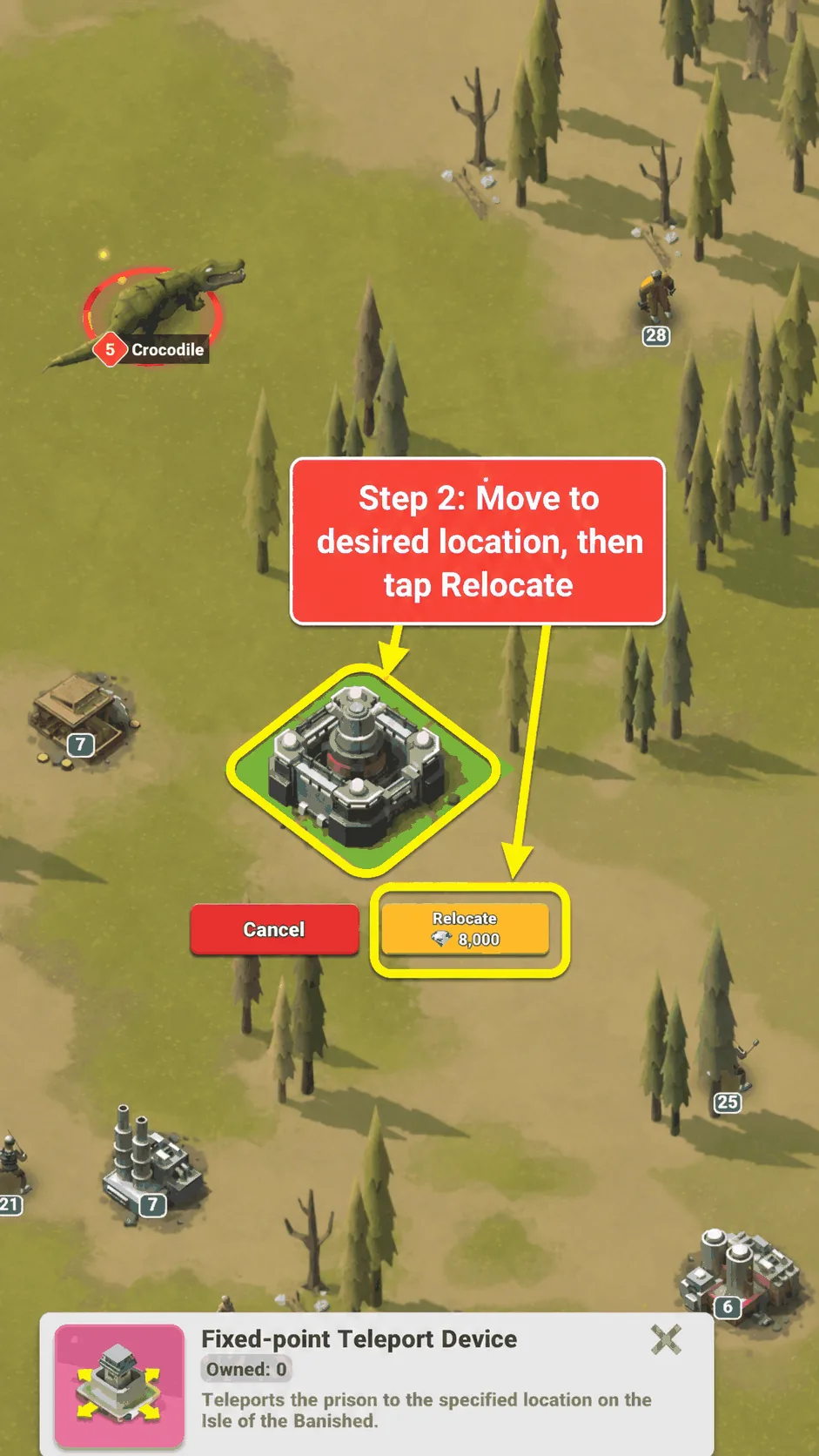
If required, drag your finger across the screen to move your prison to the desired location.
Once you are happy with the position, click the Relocate button.
You may need to spend diamonds to move your prison if you do not own a Fixed-point Teleport Device, as shown in the image.