
Event playbook

Alliance Brawl

Register a weak lineup, restore your strongest deployment, enter the assigned battlefield, and check settlement results.

Quick plan

Play it well

  1. Register the weak lineup requested by alliance strategy.
  2. Restore your strongest heroes and armour during preparation.
  3. Fight from the battlefield assigned by alliance leadership.
  1. Daily plan

    Alliance Brawl Overview

    Alliance Brawl is a timed alliance-versus-alliance event with registration, preparation, battle, and settlement phases.

    Register the weak lineup requested by alliance strategy for matchmaking, then restore your strongest deployment during Preparation before combat starts.

    During Battle, enter the assigned battlefield, choose defenders you can realistically beat, and spend challenge attempts carefully.

    Keep in mind
    • Register the weak lineup requested by alliance strategy during Registration.
    • Restore your strongest heroes and Prisoner Power Armour during Preparation.
    • Fight from your assigned battlefield during Battle.
    • Use Settlement Phase to check final alliance ranking and results.
    Event Phases
    Registration
    48 hours - register the weak lineup requested by alliance strategy.
    Preparation
    24 hours - change back to your strongest heroes and Power Armour.
    Battle / Combat
    3 days - fight one opposing alliance each day.
    Settlement
    After battles - check rankings and final results.
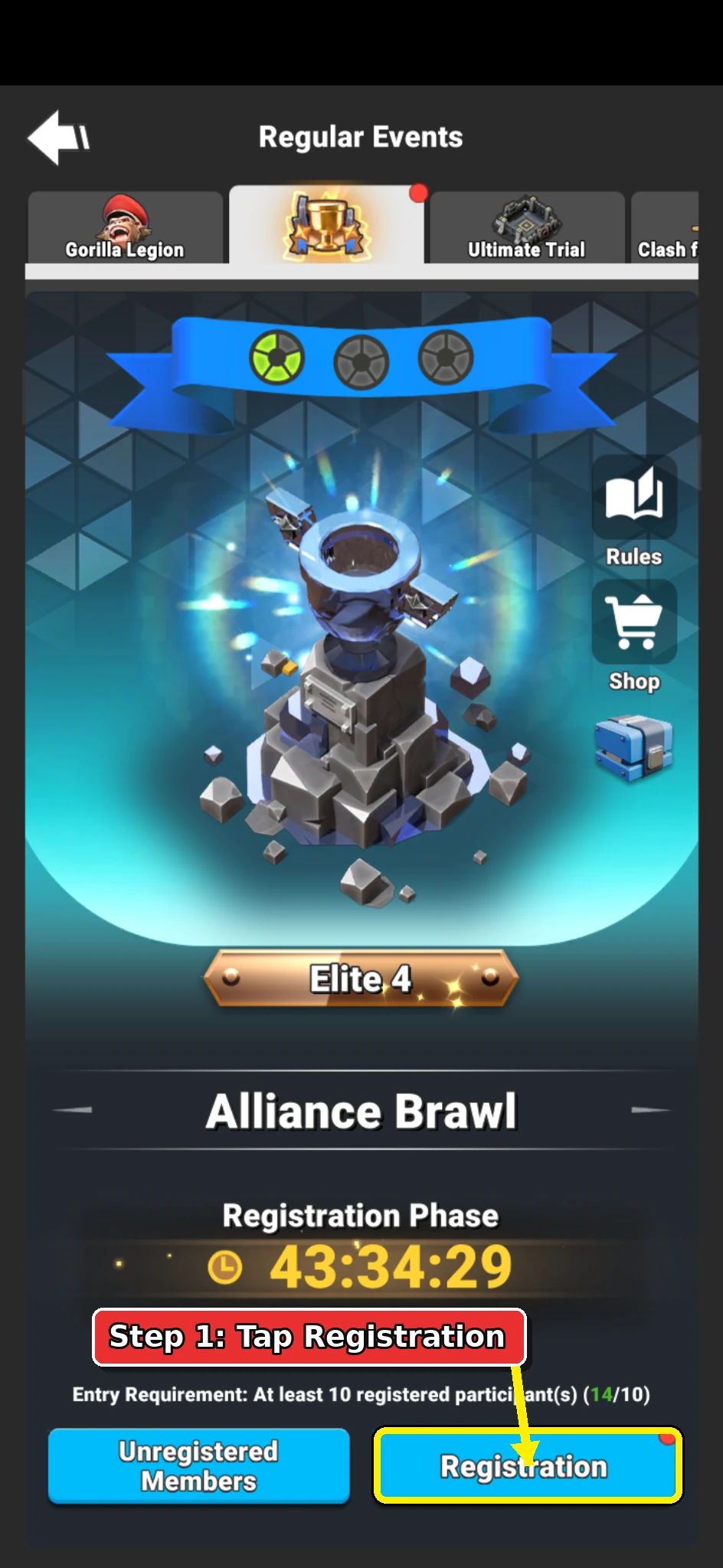
  2. Annotated Alliance Brawl event page showing the Registration button.

    Daily plan

    Open Registration

    Open the Alliance Brawl event page and tap Registration.

    The Registration button is at the bottom-right of the event page.

  3. Annotated Alliance Brawl lineup screen showing selected hero cards to remove.

    Daily plan

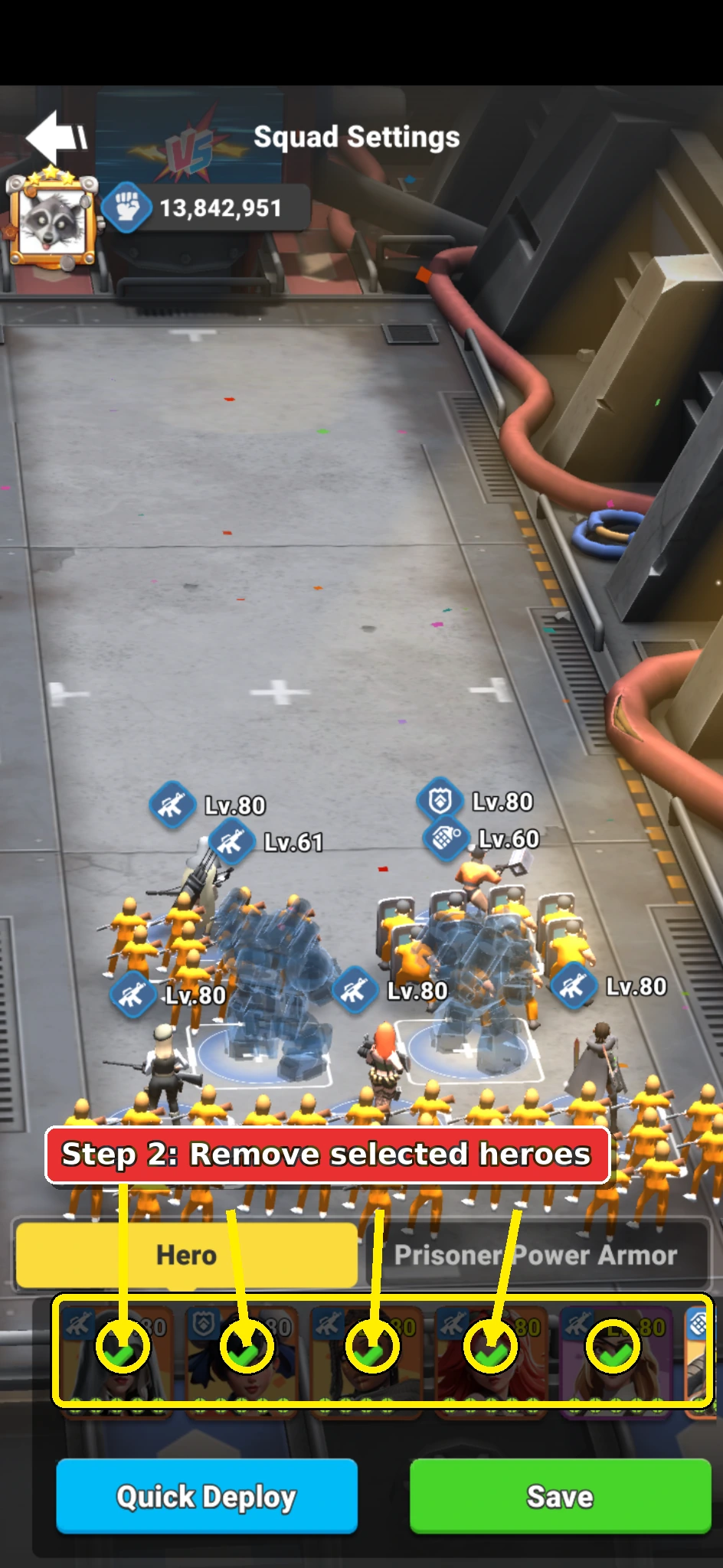
    Remove the Selected Heroes

    Make sure the Hero tab is selected.

    Tap each hero card that has a green tick to remove it from the current lineup.

    Each selected hero should lose its green tick after you tap it.

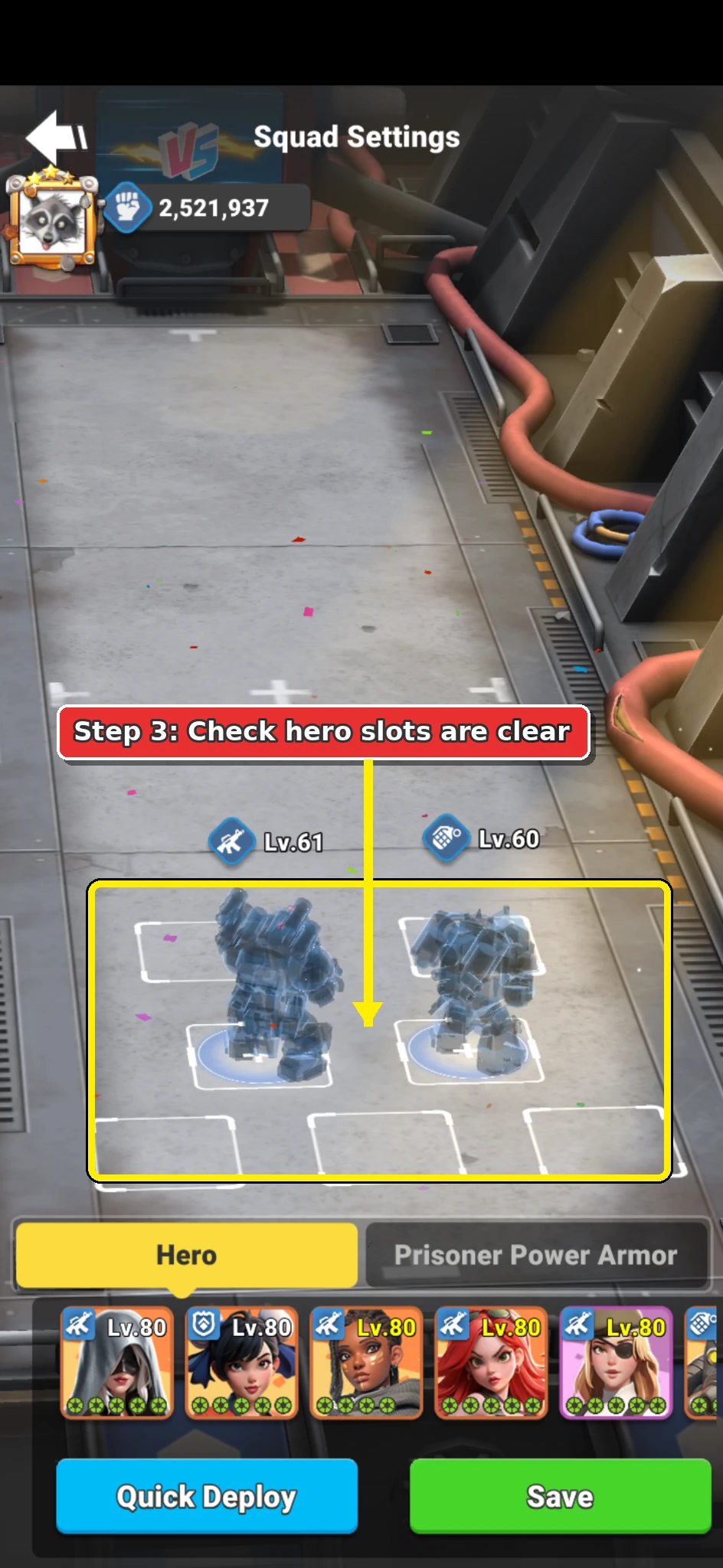
  4. Alliance Brawl arena lineup screen with hero slots cleared.

    Daily plan

    Check That the Hero Slots Are Clear

    Pause and check the arena before changing tabs.

    Your hero slots should be empty, with no heroes placed in the lineup positions.

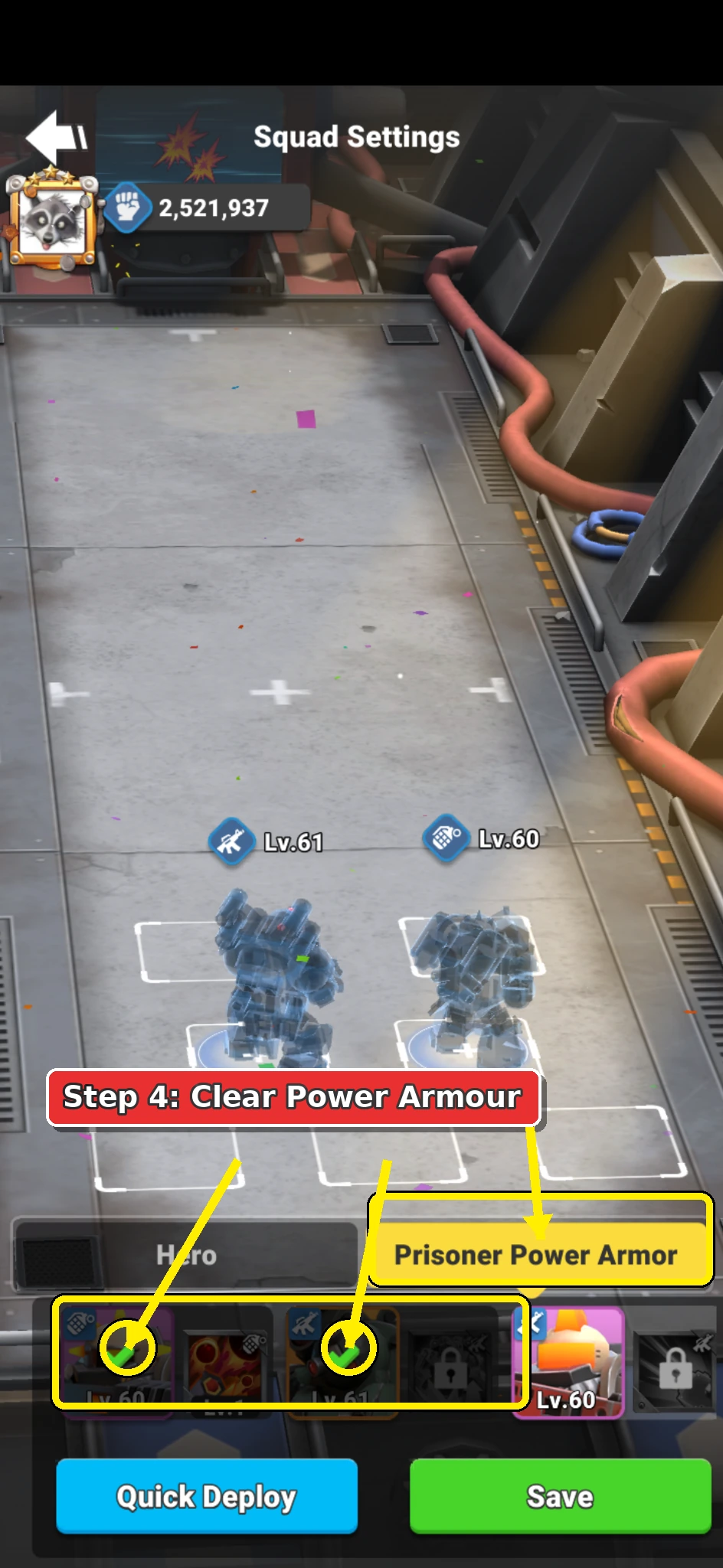
  5. Annotated Alliance Brawl Power Armour tab showing selected Power Armour cards to remove.

    Daily plan

    Remove Prisoner Power Armour

    Tap the Prisoner Power Armour tab.

    Tap each Power Armour card with a green tick to remove it from the lineup.

    All selected Power Armour cards should lose their green tick.

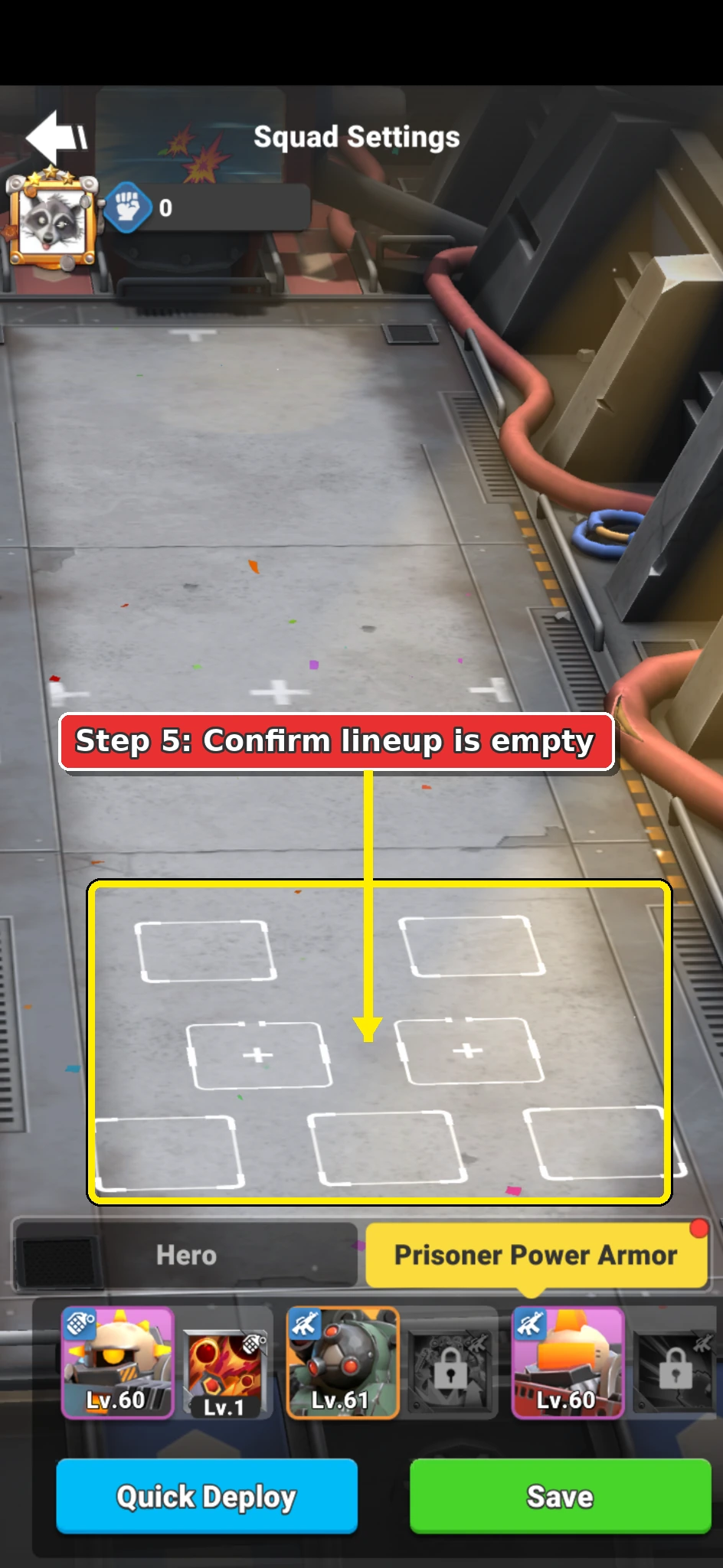
  6. Alliance Brawl arena showing empty hero and Power Armour positions.

    Daily plan

    Confirm the Arena Is Empty

    Check the full arena lineup before adding the weak registration hero.

    The arena should show empty positions only.

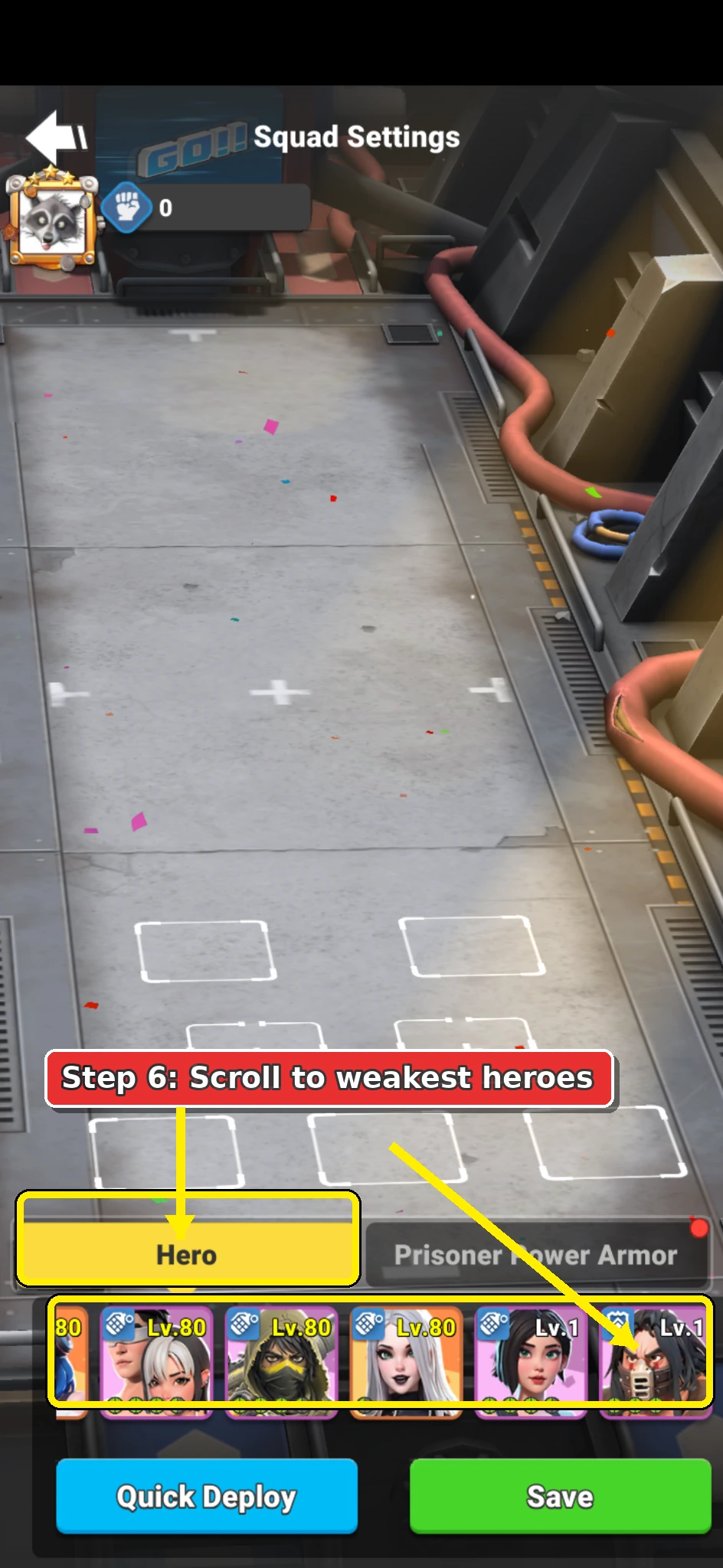
  7. Annotated Alliance Brawl Hero tab showing the weakest heroes at the end of the list.

    Daily plan

    Find Your Weakest Heroes

    Tap back to the Hero tab and scroll all the way to the end of your hero list.

    The end of the list should show your lowest-power or weakest available heroes.

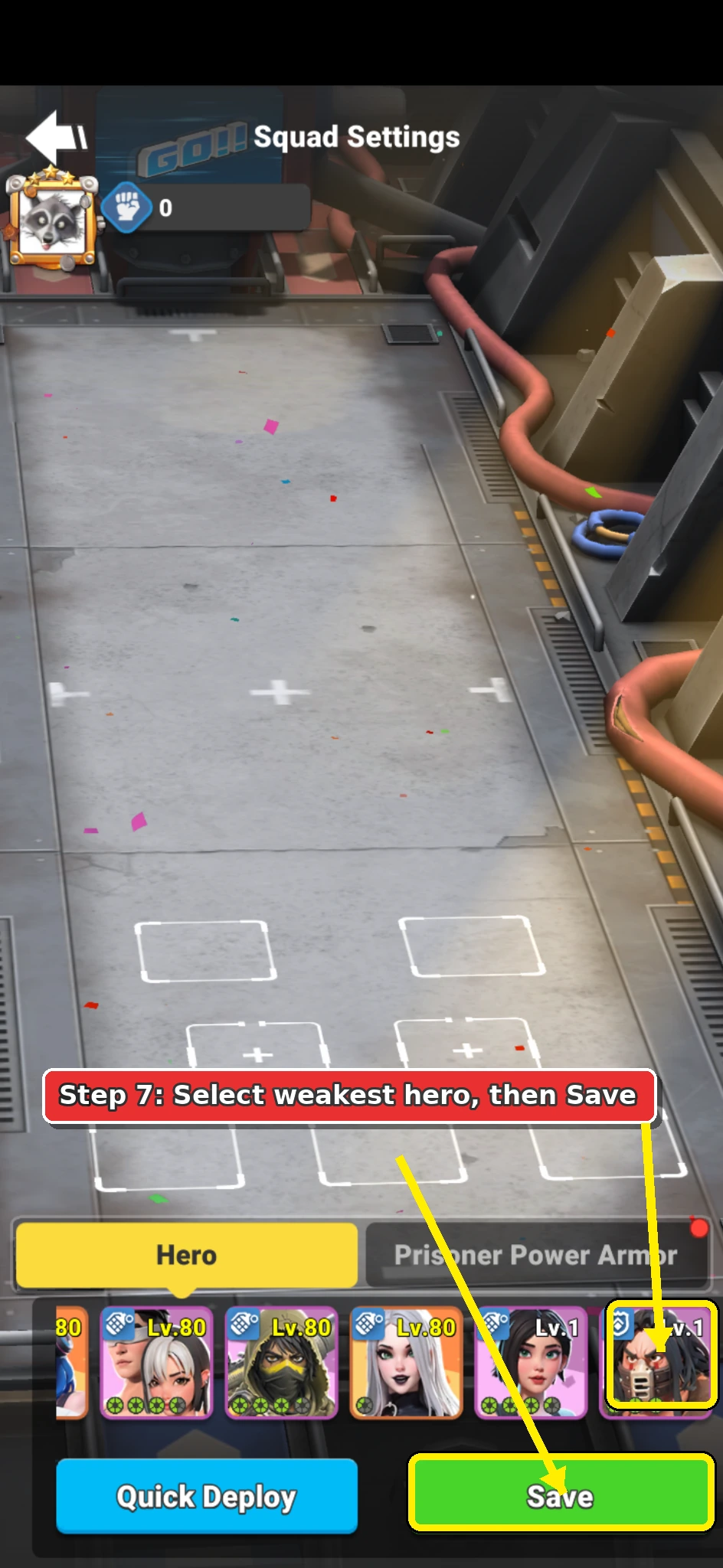
  8. Annotated Alliance Brawl Hero tab showing one weak hero selected and the Save button.

    Daily plan

    Select the Weak Hero and Save

    Tap the weakest hero card so the green tick appears.

    Only the weak hero should be selected before you tap Save.

    Tap Save to store the weak registration lineup.

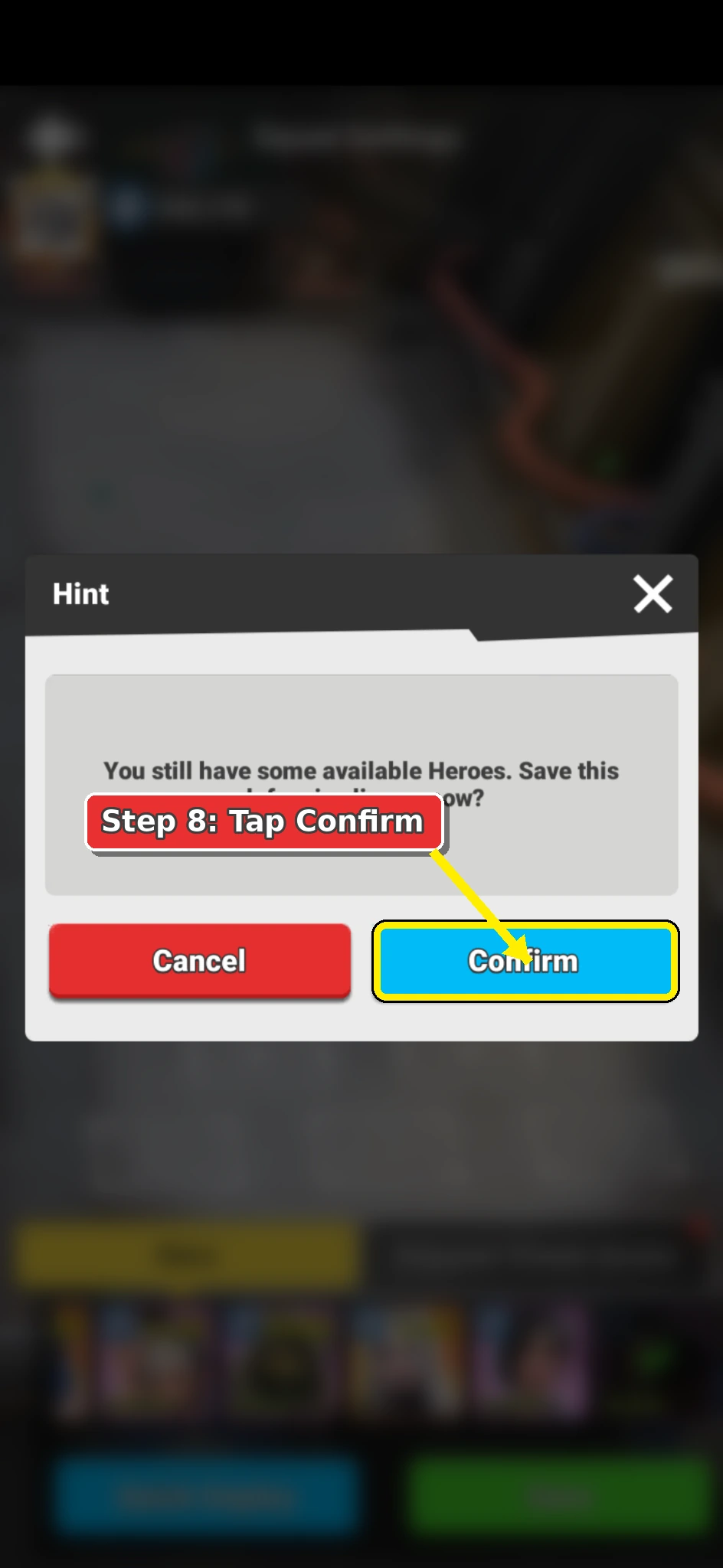
  9. Alliance Brawl hint message with the Confirm button highlighted.

    Daily plan

    Confirm the Warning

    When the Hint message appears, tap Confirm.

    This warning is expected because you are saving a lineup while other heroes remain available.

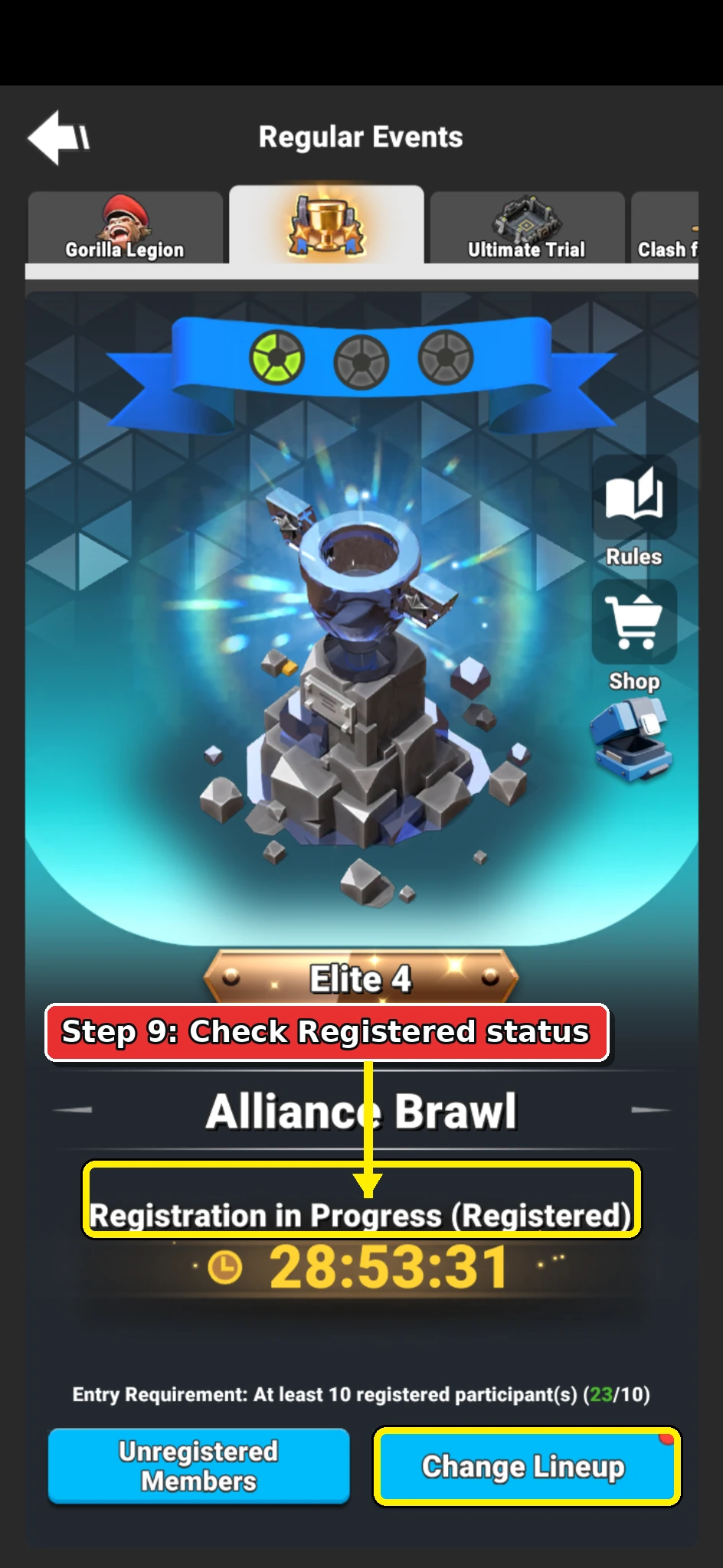
  10. Alliance Brawl event page showing Registration in Progress and Registered status.

    Daily plan

    Confirm That You Are Registered

    Return to the Alliance Brawl event page and check that it shows Registered.

    The page should show Registration in Progress (Registered) and the Change Lineup button.

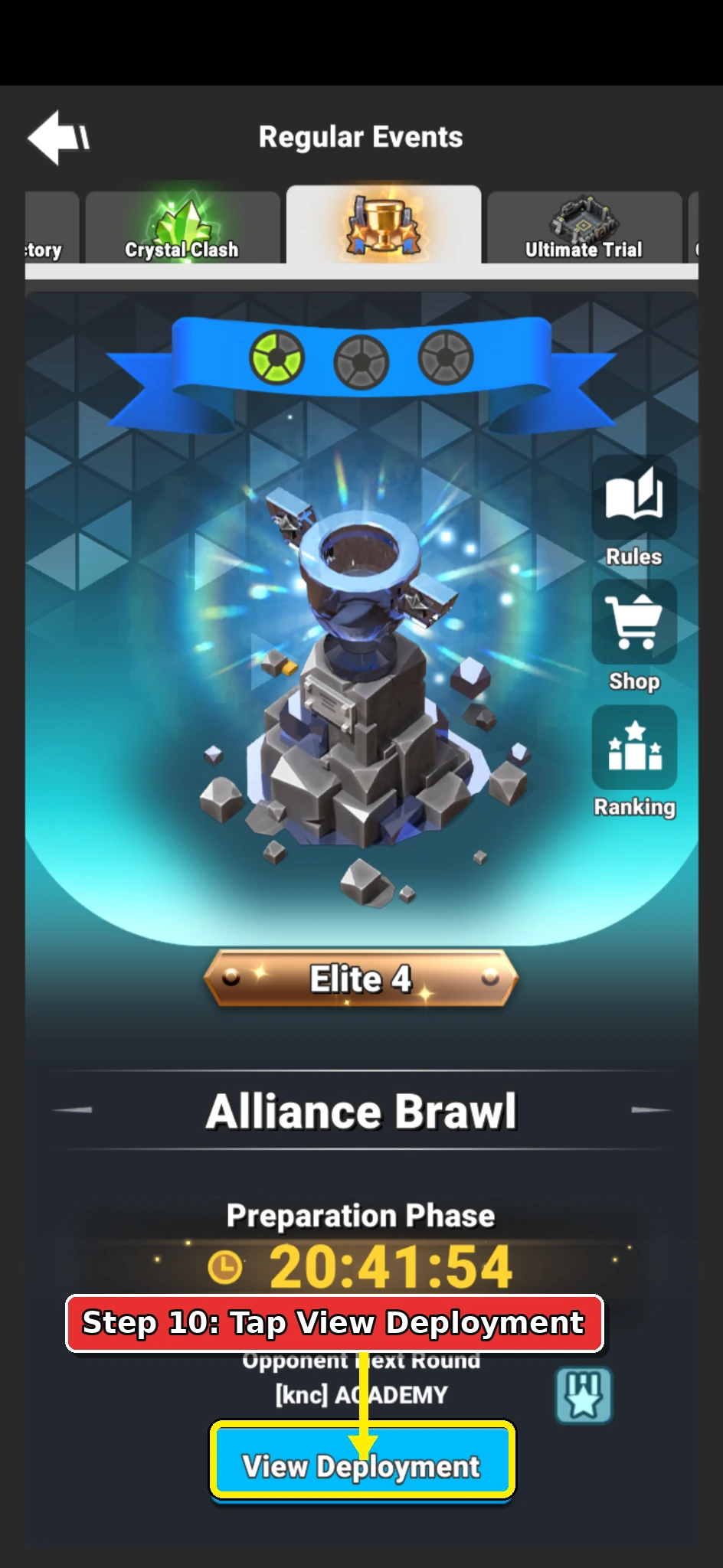
  11. Annotated Alliance Brawl Preparation Phase page showing the View Deployment button.

    Daily plan

    Open View Deployment

    When the event moves into Preparation Phase, open Alliance Brawl and tap View Deployment.

    Confirm the page shows Preparation Phase before you change your lineup.

    Keep in mind
    • This is where you undo the weak registration setup.
    • Do not enter Battle with the weak registration lineup still saved.
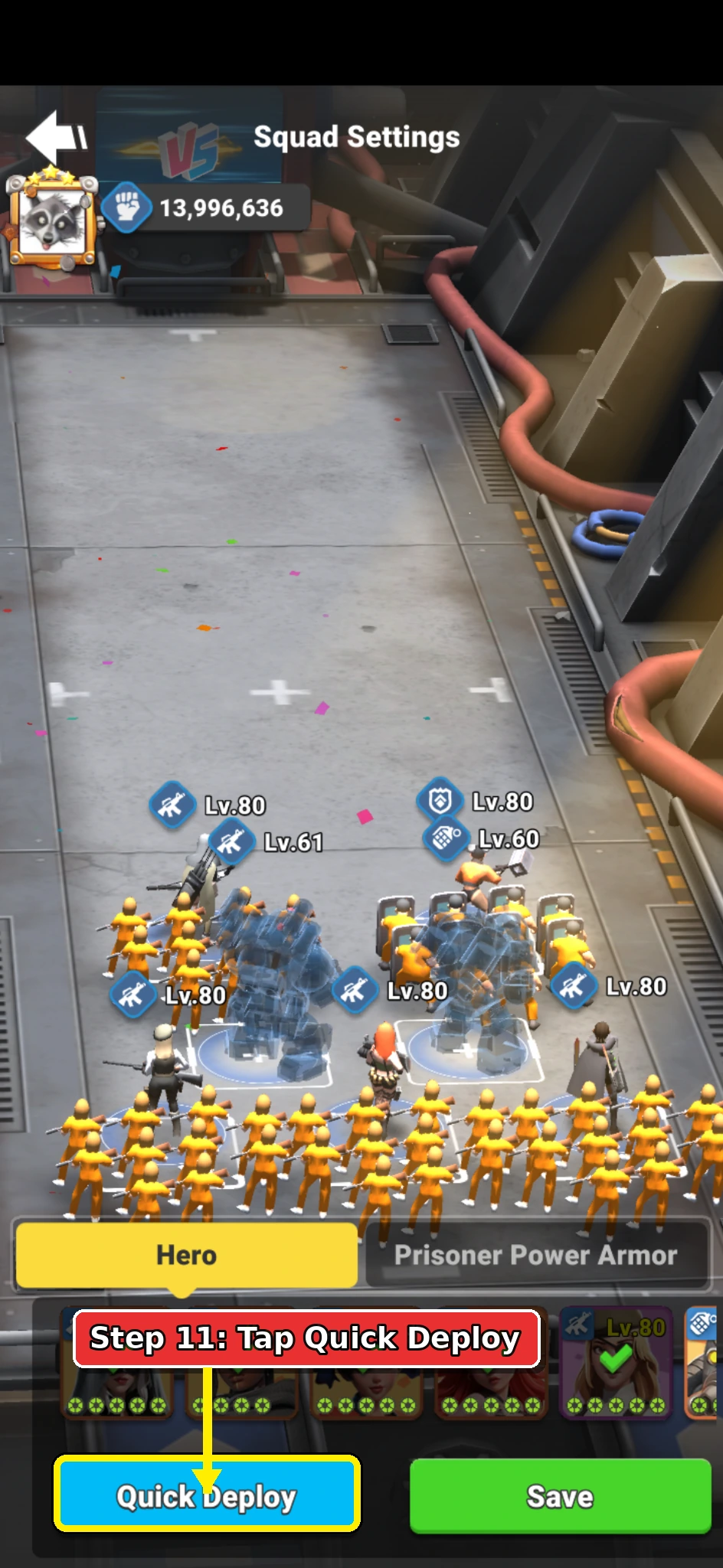
  12. Annotated Alliance Brawl deployment screen showing the Quick Deploy button.

    Daily plan

    Use Quick Deploy

    Inside the arena setup screen, tap Quick Deploy.

    The game should automatically place your strongest available heroes and Power Armour.

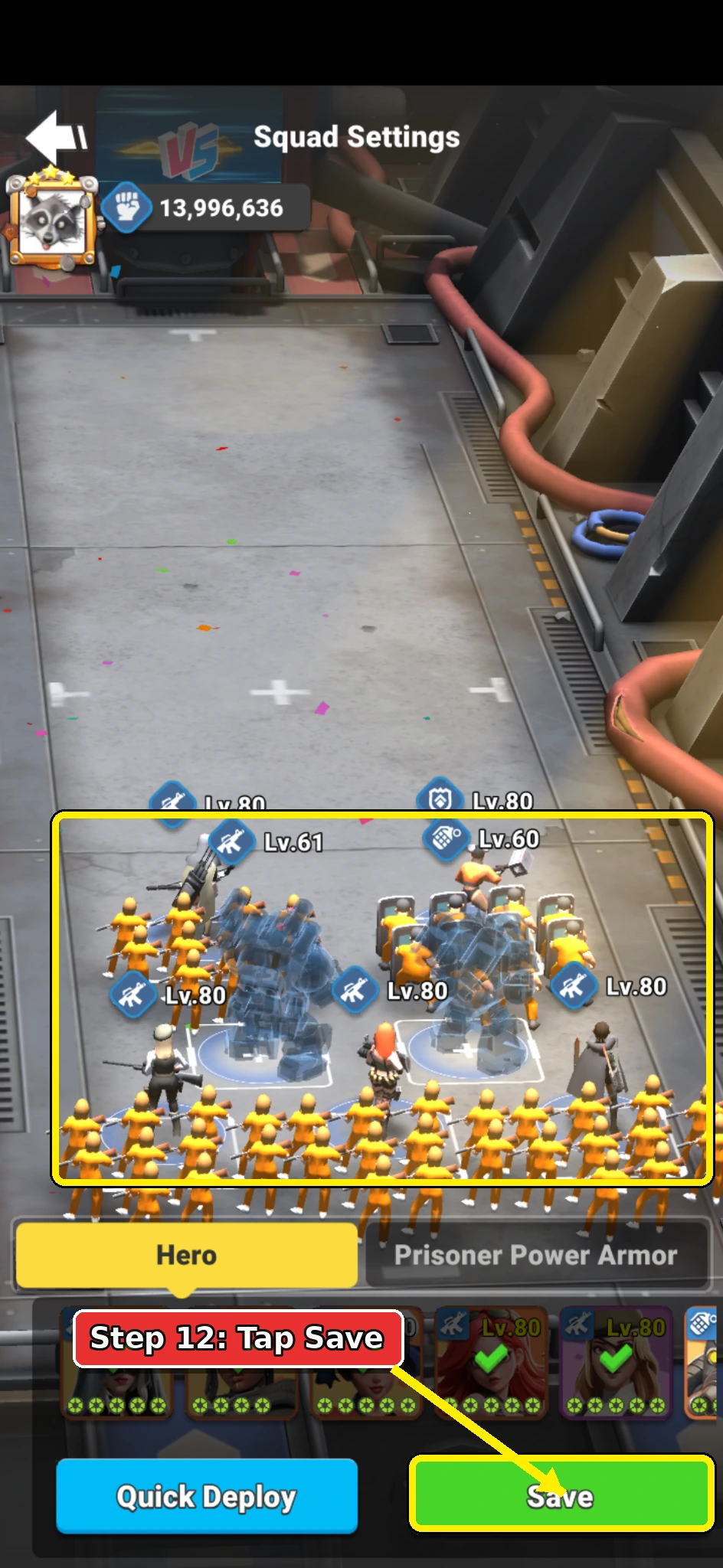
  13. Annotated Alliance Brawl deployment screen showing the Save button for a strong lineup.

    Daily plan

    Save the Strong Lineup

    Review the deployed units before saving.

    When you are happy with the lineup, tap Save.

    Your strong lineup is now ready for the Battle phase.

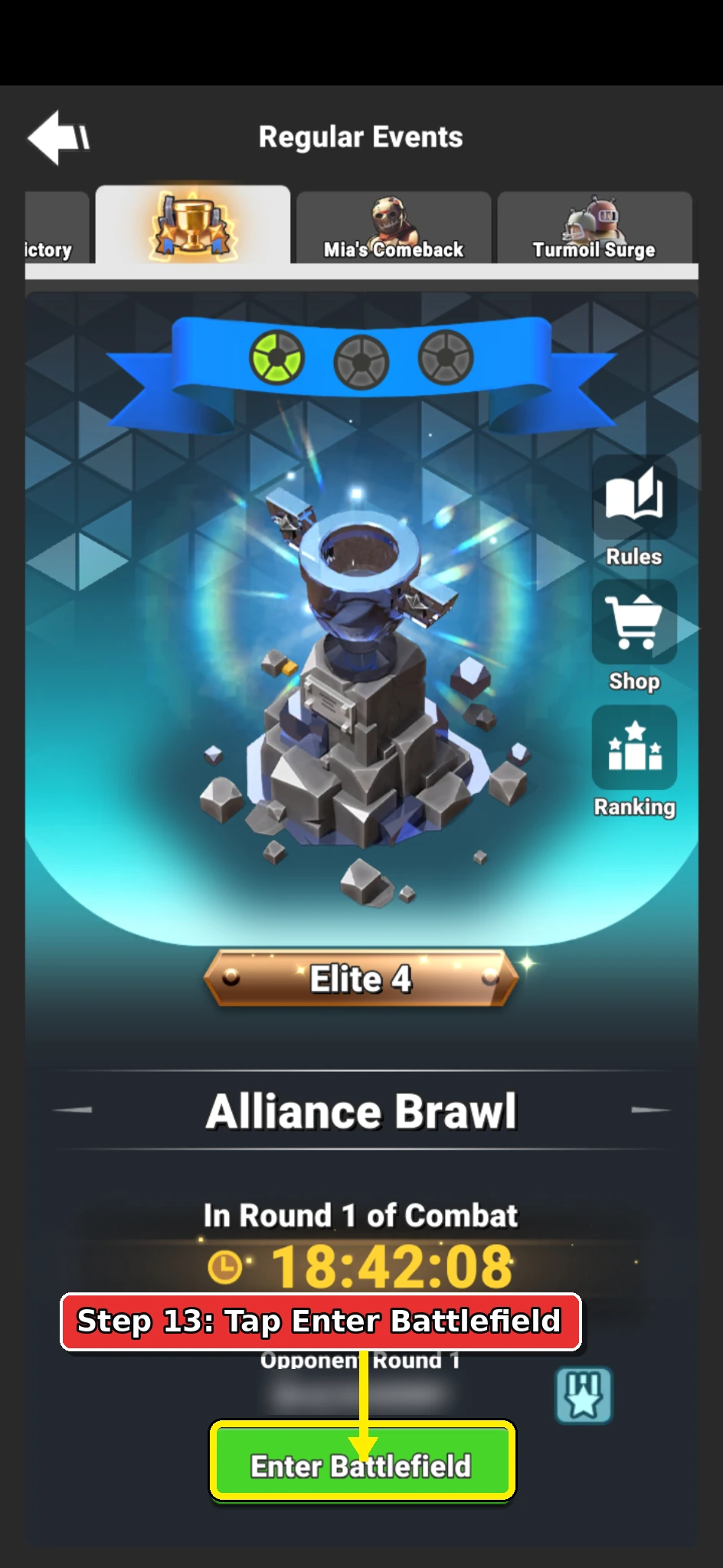
  14. Annotated Alliance Brawl Combat page showing the Enter Battlefield button.

    Daily plan

    Enter the Battlefield

    When the event moves into Combat, open the Alliance Brawl event tab and tap Enter Battlefield.

    The event page should show the current combat round and the green Enter Battlefield button.

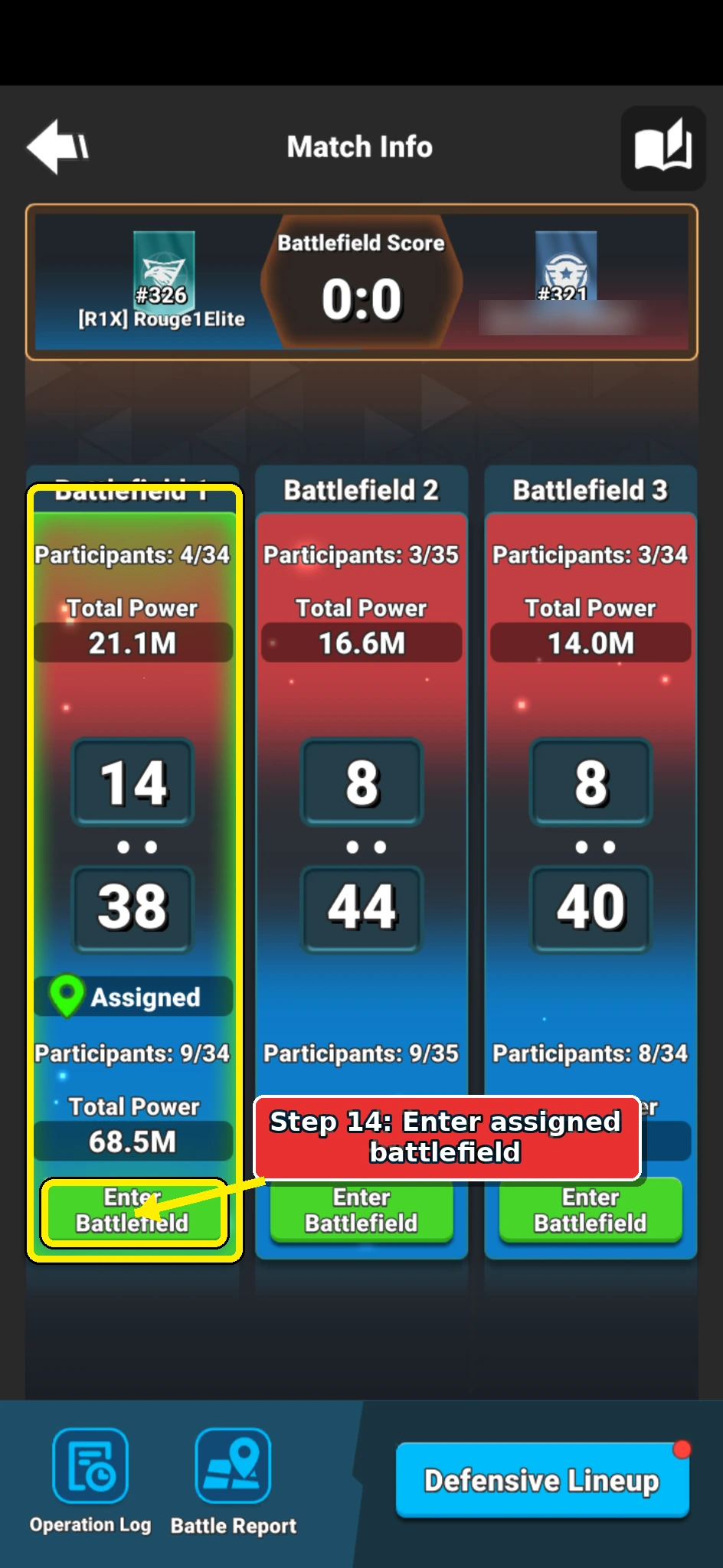
  15. Alliance Brawl Match Info screen showing the assigned battlefield panel.

    Daily plan

    Enter Your Assigned Battlefield

    On the Match Info screen, tap Enter Battlefield in the battlefield panel marked Assigned.

    Use the battlefield marked Assigned unless current alliance instructions say otherwise.

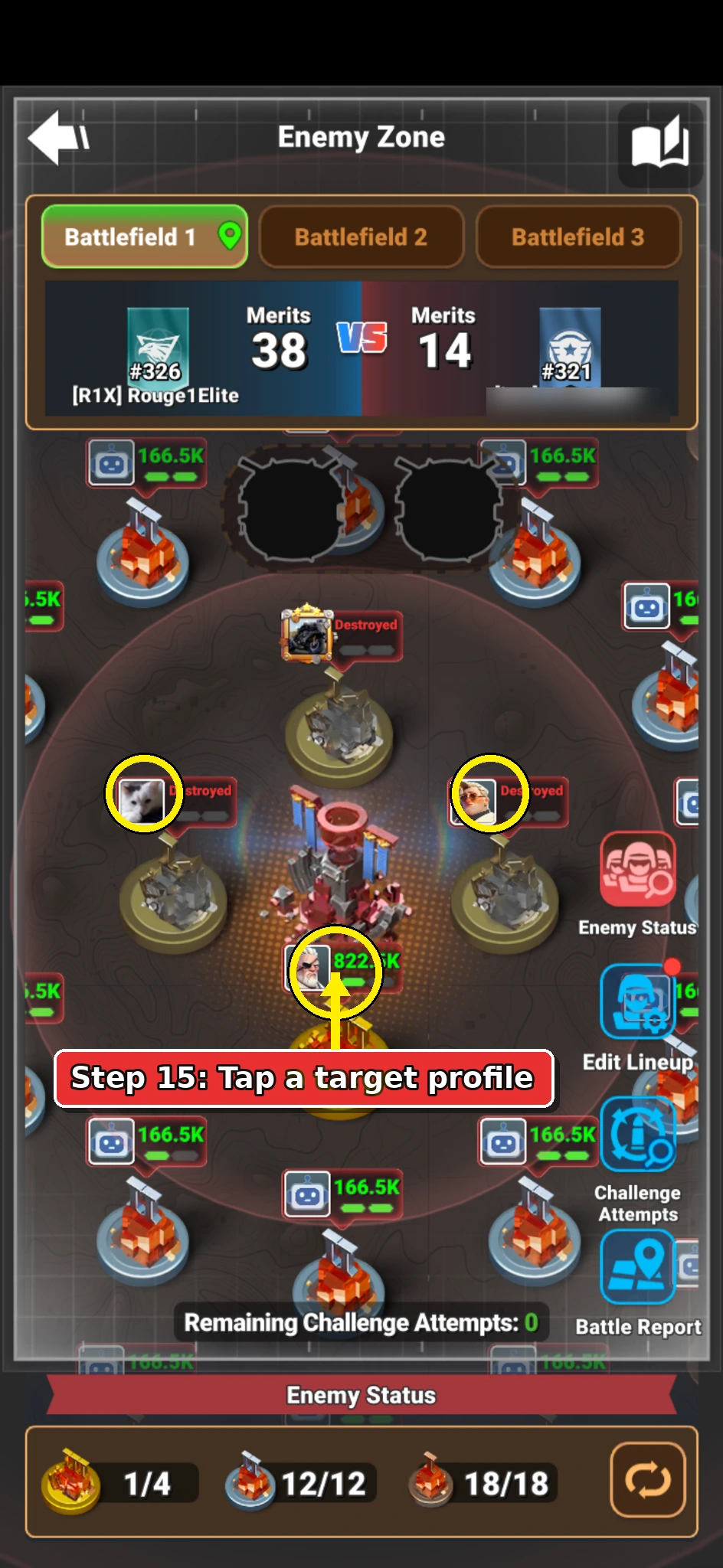
  16. Alliance Brawl Enemy Zone screen showing enemy defenders to inspect.

    Daily plan

    Choose a Defender to Attack

    In Enemy Zone, tap an enemy profile picture to inspect the defender.

    If your power allows, prioritize the four players closest to the center because they offer the most points.

    If those targets are too strong, choose a safer outer-ring defender instead.

    Keep in mind
    • Pick a defender you can realistically beat.
    • Challenge attempts are limited, so avoid wasting attempts on unwinnable targets.
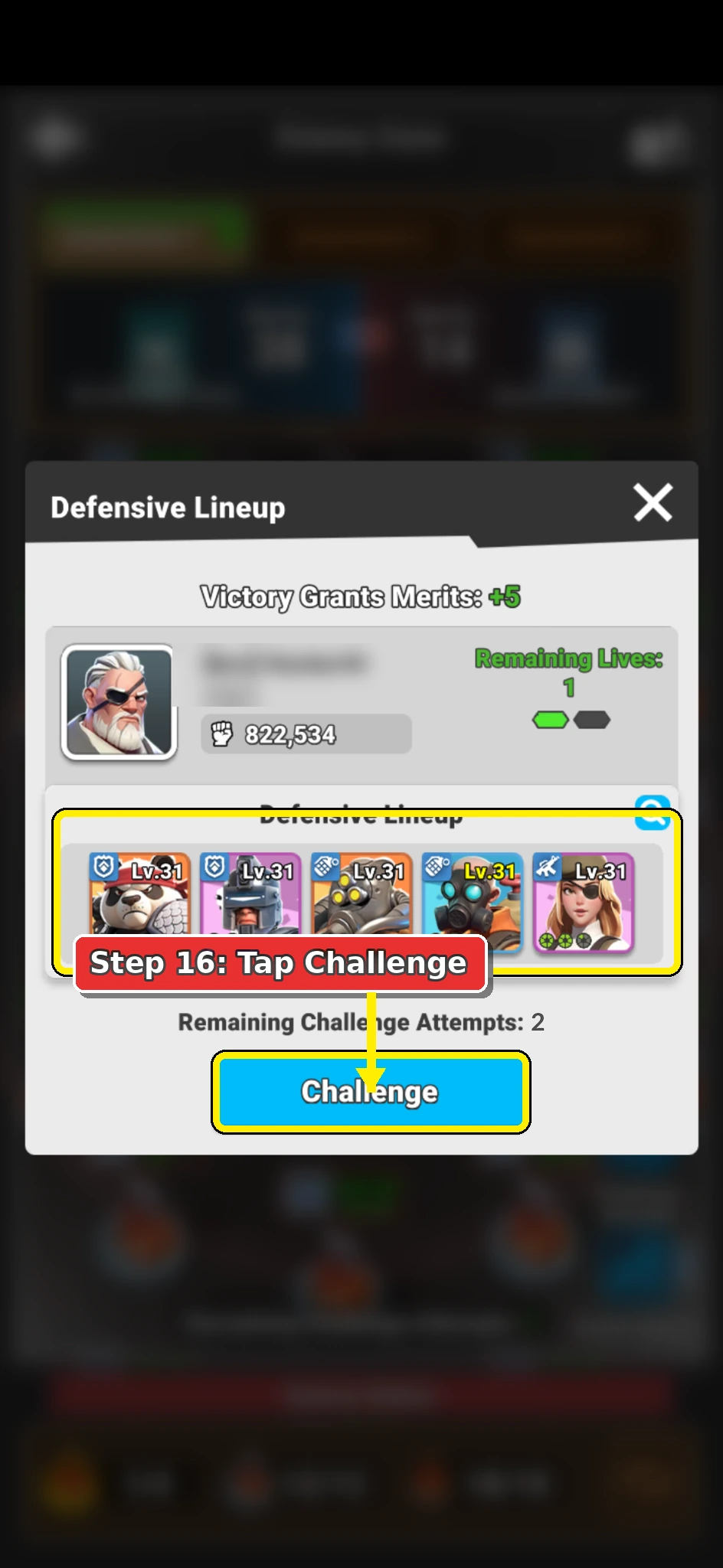
  17. Alliance Brawl defender review screen showing the Challenge button.

    Daily plan

    Start the Brawl

    Review the defender lineup before starting the arena brawl.

    If you are happy to continue, tap Challenge.

    The menu shows the defensive lineup, the merit reward, and your remaining challenge attempts.

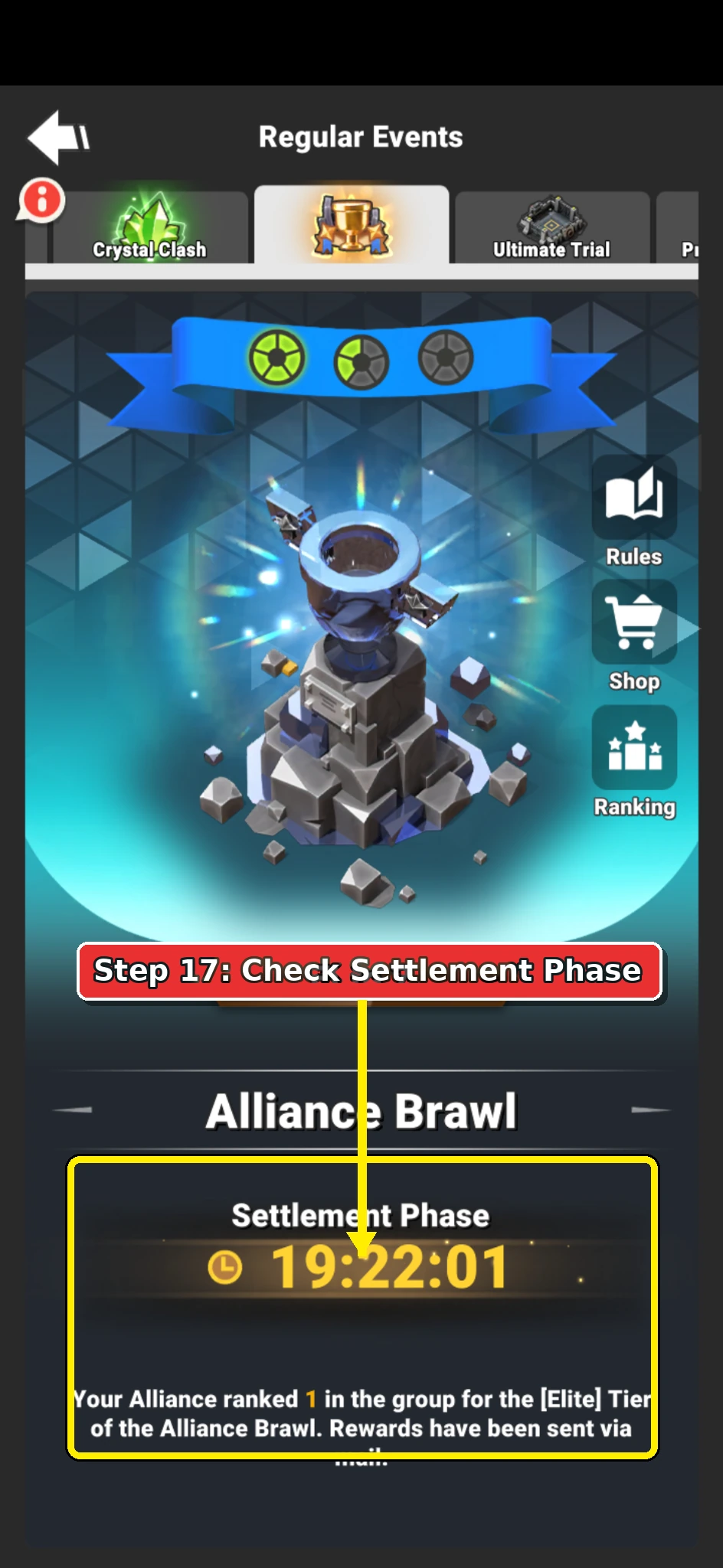
  18. Alliance Brawl Settlement Phase screen showing the event ranking state.

    Daily plan

    Check Settlement Results

    Once the three battle days are over, the event moves into Settlement Phase.

    There are no more setup or battle steps to complete.

    Open the ranking screen if you want to see where the alliance finished.

    Keep in mind
    • Settlement is mainly for checking results.
    • No lineup changes or attacks are needed during this phase.