
Event playbook

Gorilla Legion

Find today’s Gorilla, use the community-wide starting ratio, check which bonuses count toward damage, and adjust from your report.

Quick plan

Play it well

  1. Check the Gorilla assigned to the current server day.
  2. Use the documented community-wide ratio as a starting point.
  3. Match valid damage bonuses and refine the setup from battle reports.
  1. Daily plan

    Gorilla Legion Overview

    Gorilla Legion is a timed alliance damage event where players attack the Gorilla boss and use reports to judge whether their setup is improving.

    Open the event, locate the Gorilla, set the correct troop ratio, and check the active Gorilla bonus before attacking.

    Use the damage report after each hit to compare results and adjust the next attack window.

    Keep in mind
    • Use the custom troop ratio shown in the guide before attacking.
    • Check the active Gorilla bonus because it changes which setup performs best.
    • Use battle reports to compare damage and refine timing.
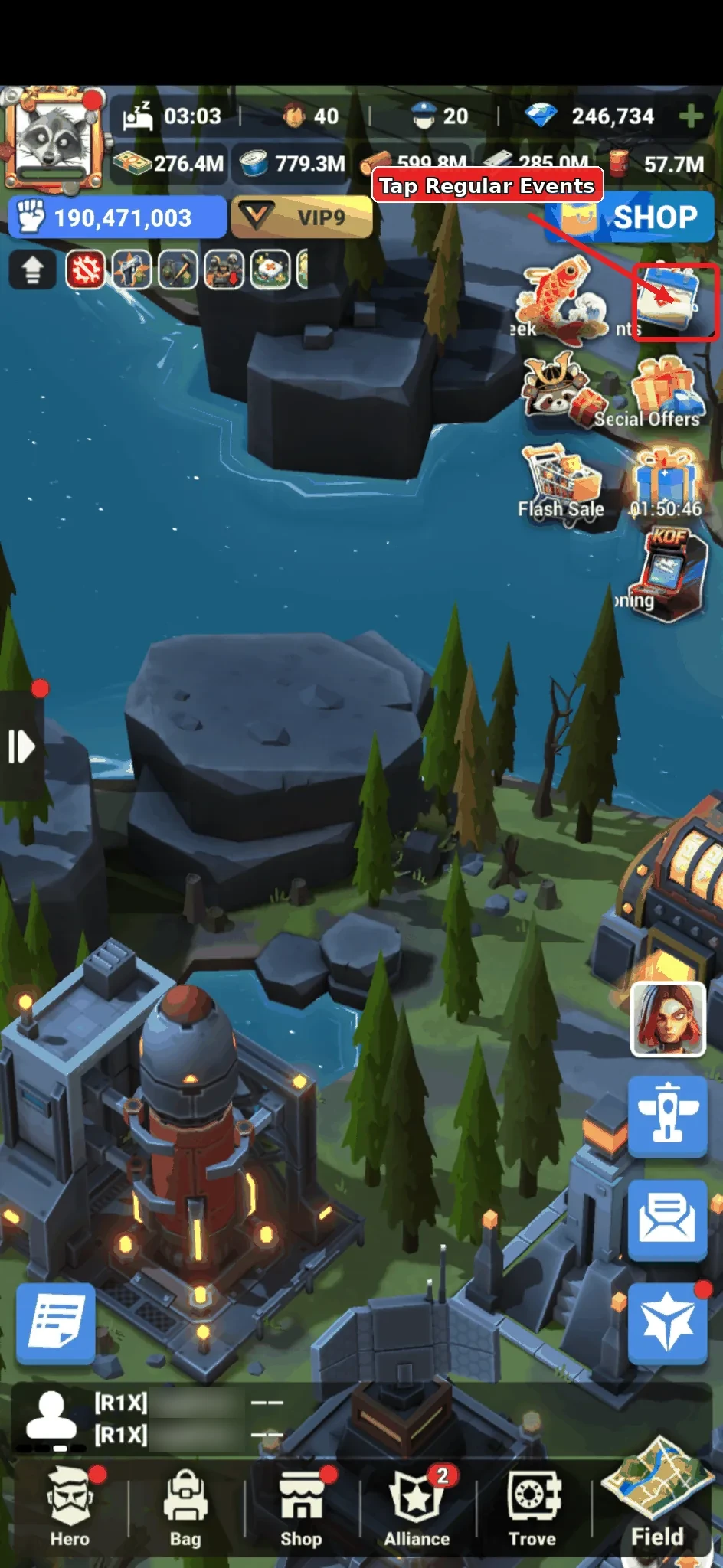
  2. Annotated main screen showing the Regular Events button for Gorilla Legion.

    Daily plan

    Open Regular Events

    From your prison screen, tap Regular Events in the top-right event stack.

    Use this entry point when Gorilla Legion is active or when you need to jump back to the event page.

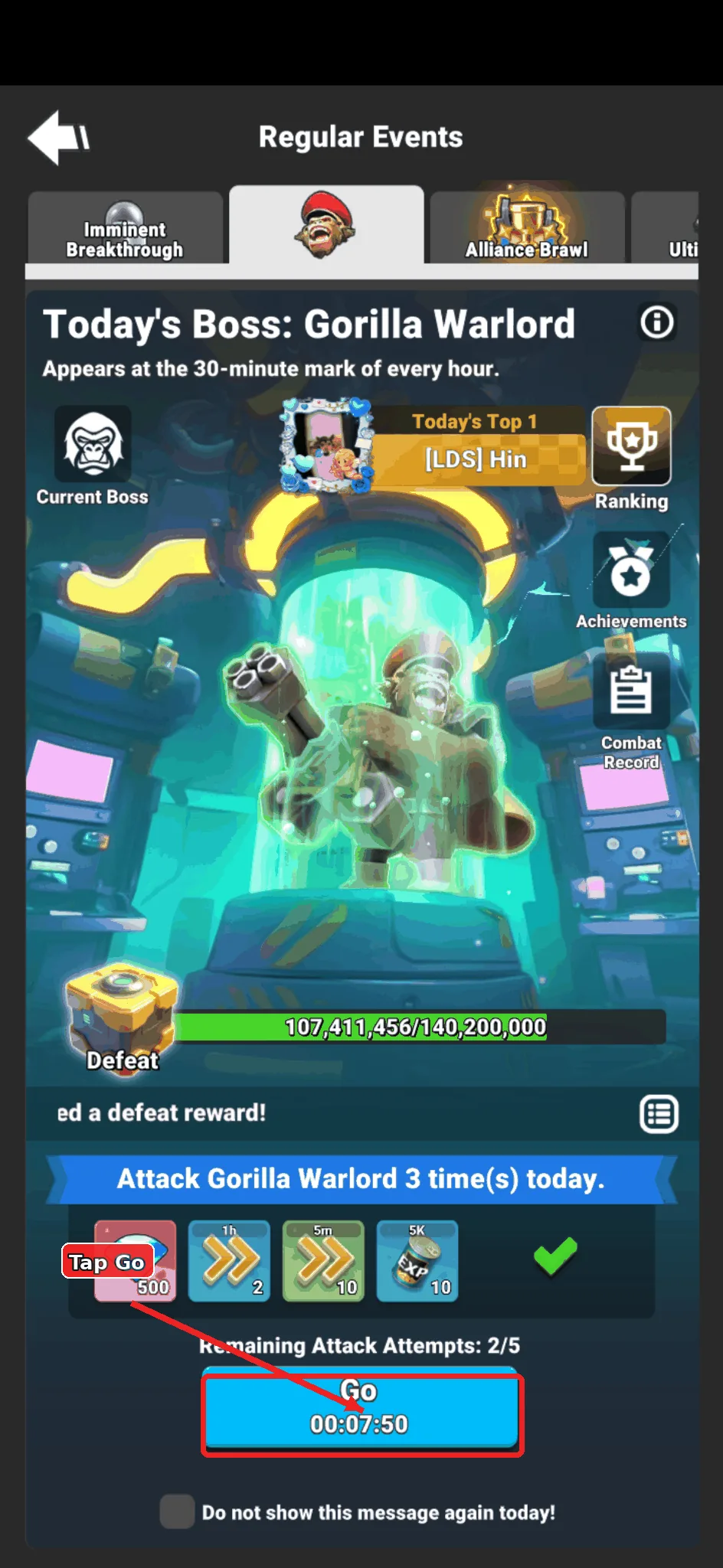
  3. Annotated Gorilla Legion event page showing the Go button.

    Daily plan

    Tap Go on Gorilla Legion

    On the Gorilla Legion event page, tap Go.

    The game will move the camera to the Gorilla currently available on the map.

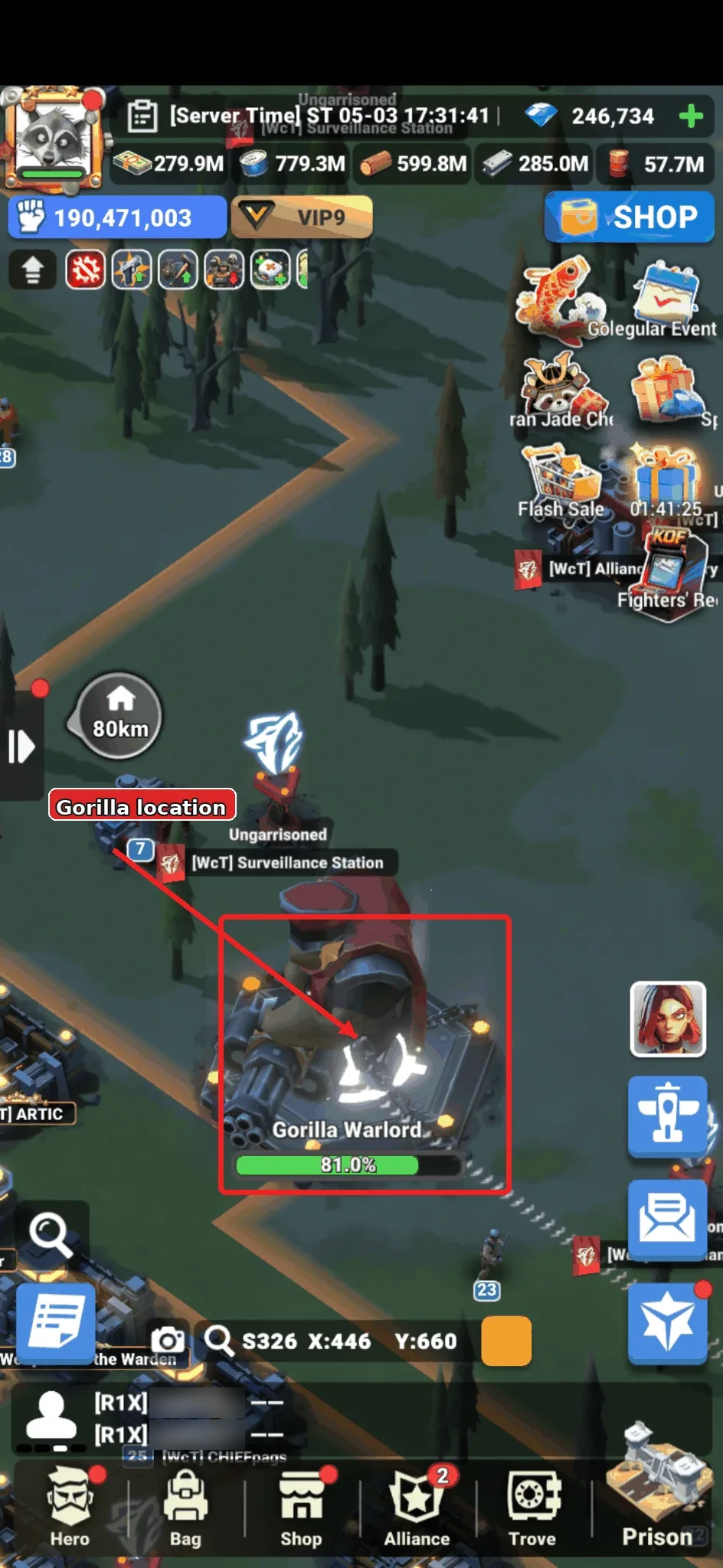
  4. Annotated world map showing the Gorilla Legion boss location.

    Daily plan

    Select the Gorilla on the Map

    After the map jumps to the target, tap the Gorilla to open its action menu.

    Confirm you are targeting the active Gorilla before spending an attack.

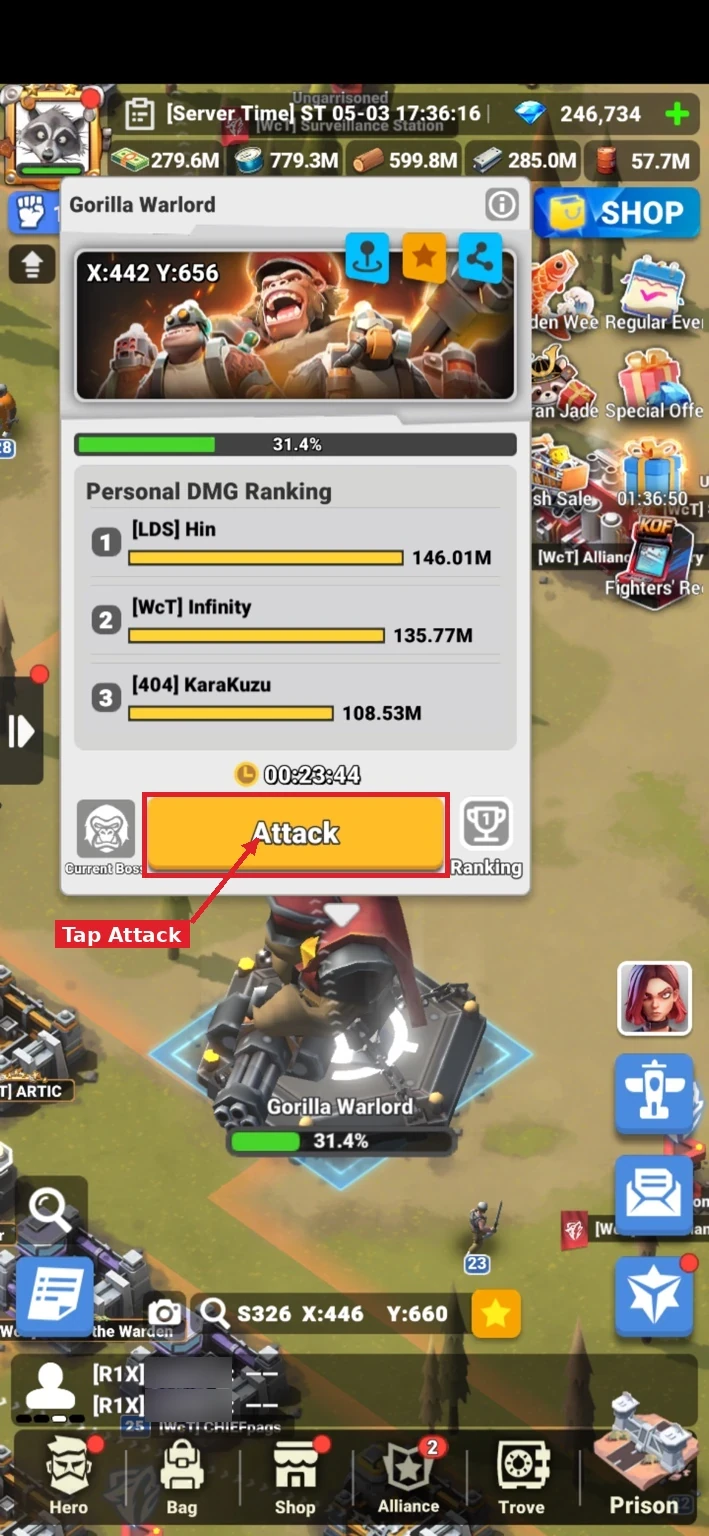
  5. Annotated Gorilla Legion action menu showing the Attack button.

    Daily plan

    Start the Attack

    Tap Attack on the Gorilla action menu.

    This opens the formation screen where you can send multiple formations against the Gorilla.

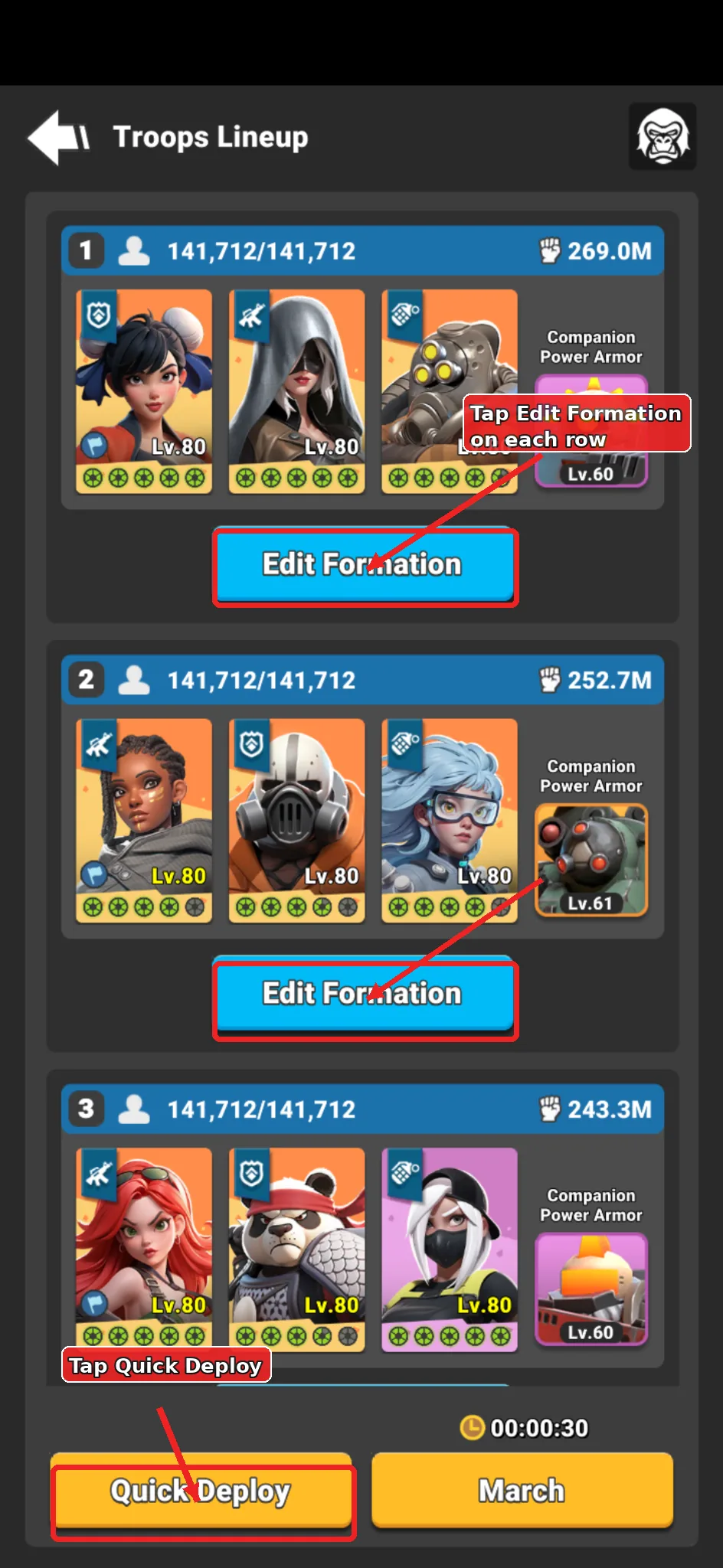
  6. Annotated formation screen showing Quick Deploy and Edit Formation controls.

    Daily plan

    Quick Deploy or Edit Formation

    Use Quick Deploy if you want the game to fill formations quickly with its suggested strong heroes and troops.

    Use Edit Formation when you want controlled tests with specific heroes, robots, and troop ratios.

    Keep in mind
    • Keep formations consistent when testing ratios.
    • Change one major variable at a time so the report result is easier to read.
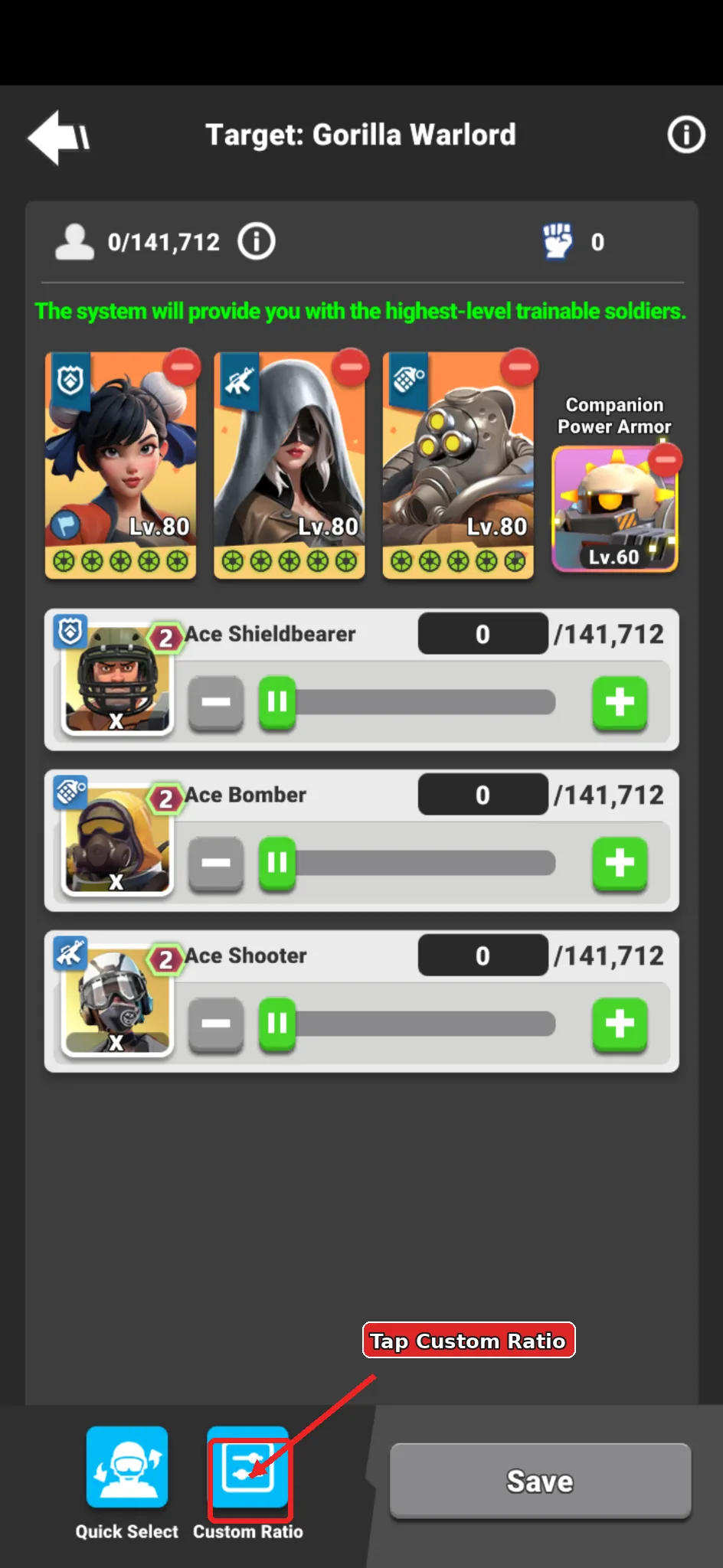
  7. Annotated formation edit screen showing the Custom Ratio button.

    Daily plan

    Open Custom Ratio

    Inside the formation screen, tap Custom Ratio at the bottom.

    Repeat this for each formation you plan to send so every attack uses the intended troop split.

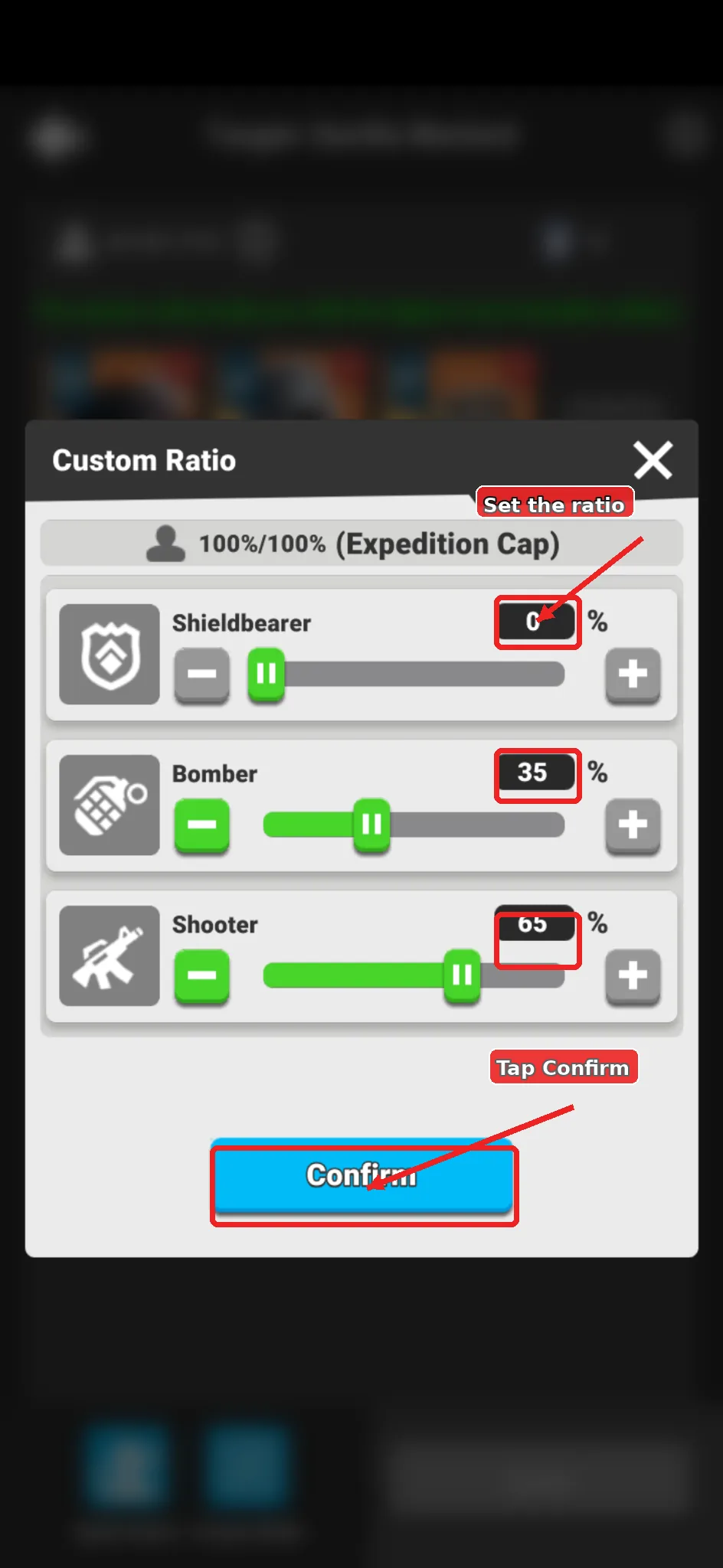
  8. Annotated Custom Ratio screen showing the ratio sliders and Confirm button.

    Daily plan

    Set and Confirm the Ratio

    Set the ratio for the Gorilla you are attacking, then tap Confirm.

    The ratios below are community-wide starting ratios, not guaranteed best formations. Your best result can change with heroes, gear, troop tier, technology, buffs, and the active Gorilla bonus.

    Format: Shieldbearer / Bomber / Shooter.

    Community-wide Starting Ratios
    Space Gorilla
    0 / 20 / 80
    Wise Gorilla
    0 / 25 / 75
    Cyber Gorilla
    0 / 0 / 100
    Primal Gorilla
    5 / 30 / 65
    Armed Gorilla
    0 / 30 / 70
    Treasure Gorilla
    0 / 35 / 65
    Gorilla Warlord
    0 / 35 / 65
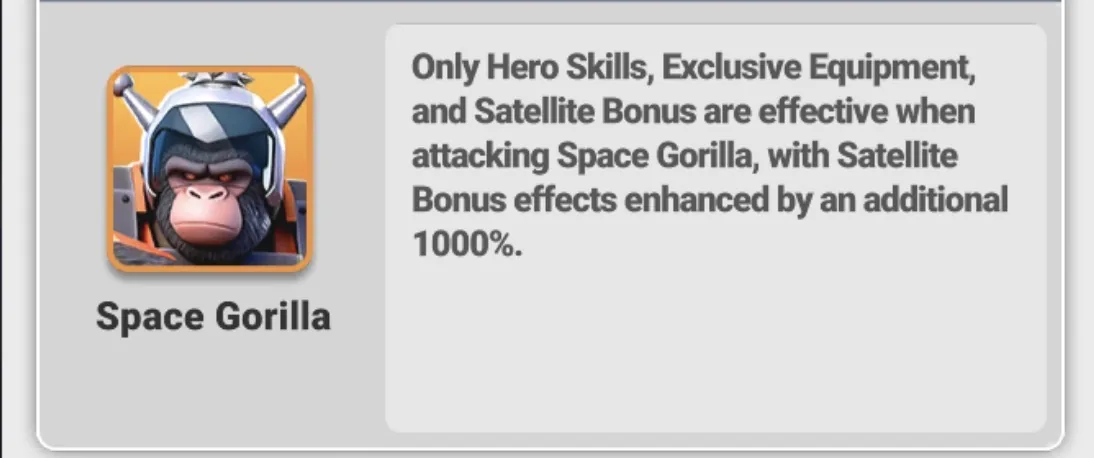
  9. Space Gorilla bonus rule reference.

    Daily plan

    Space Gorilla Bonus

    Damage that counts: Hero Skills, Exclusive Equipment, and Satellite Bonus.

    Satellite bonus effects are enhanced by an additional 1000%, so results can differ from other Gorilla days.

    Keep in mind
    • Start with 0 / 20 / 80, then adjust after reports.
    • Shooter-heavy tests are the normal first pass.
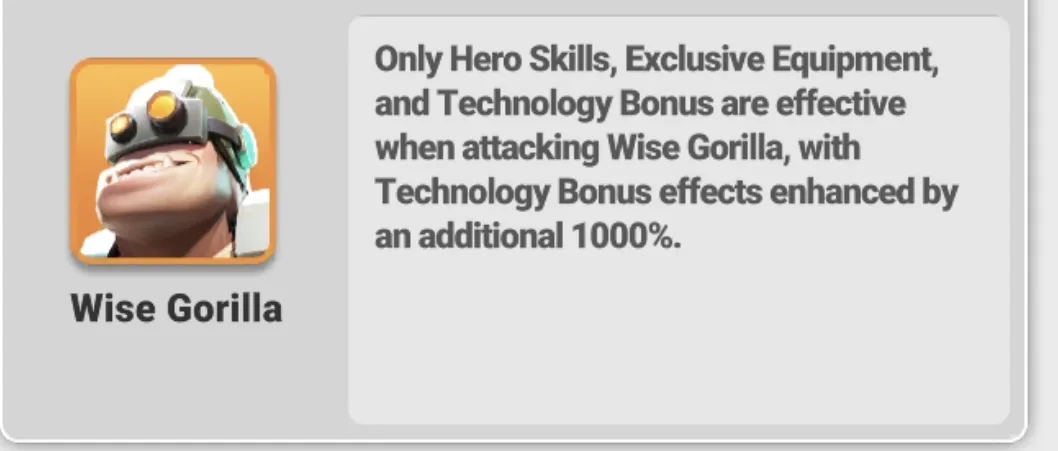
  10. Wise Gorilla bonus rule reference.

    Daily plan

    Wise Gorilla Bonus

    Damage that counts: Hero Skills, Exclusive Equipment, and Technology Bonus.

    Technology bonus effects are enhanced by an additional 1000%.

    Keep in mind
    • Start with 0 / 25 / 75.
    • Also test 0 / 20 / 80 or other shooter-heavy variants if your report damage is weak.
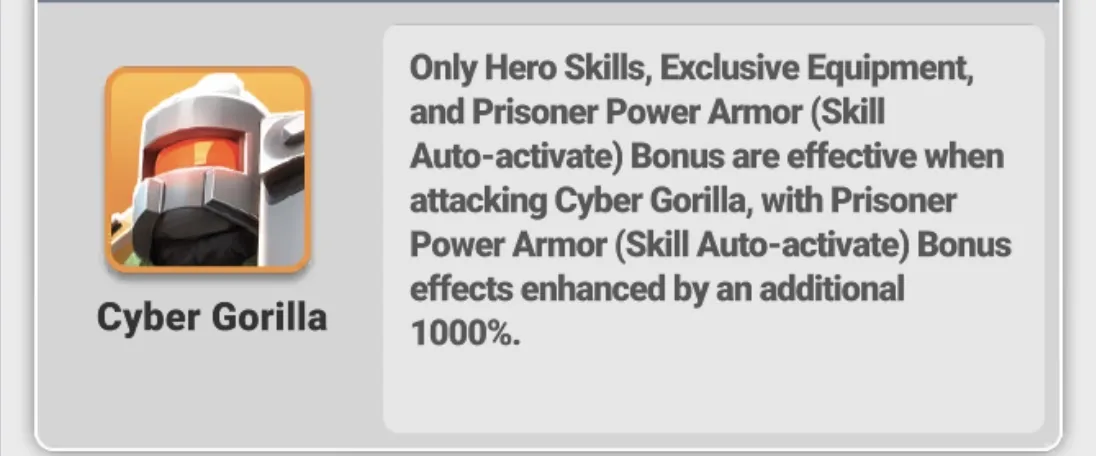
  11. Cyber Gorilla bonus rule reference.

    Daily plan

    Cyber Gorilla Bonus

    Damage that counts: Hero Skills, Exclusive Equipment, and Prisoner Power Armour Skill Auto-activate Bonus.

    Prisoner Power Armour bonus effects are enhanced by an additional 1000%.

    Keep in mind
    • Start with 0 / 0 / 100 if using the pure-shooter test.
    • Use 0 / 15 / 85 as a safer alternate test.
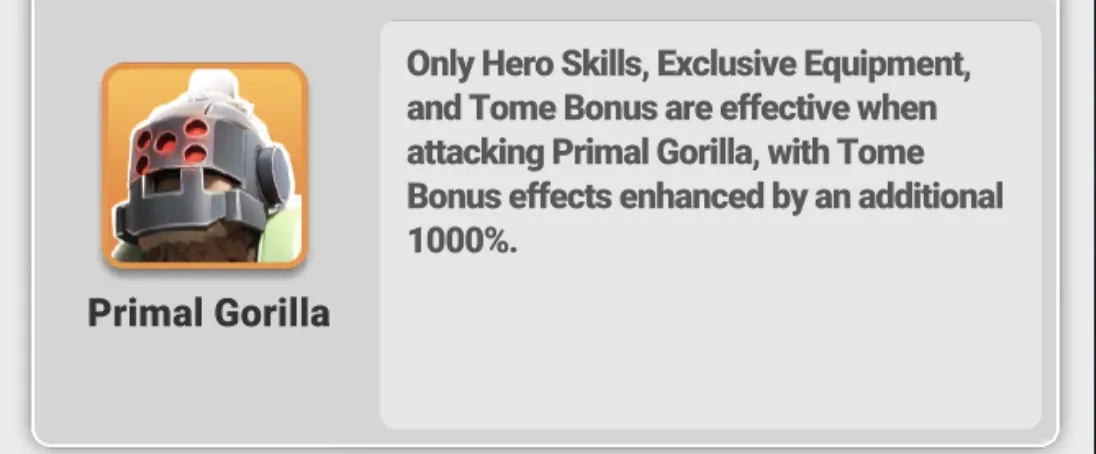
  12. Primal Gorilla bonus rule reference.

    Daily plan

    Primal Gorilla Bonus

    Damage that counts: Hero Skills, Exclusive Equipment, and Tome Bonus.

    Tome bonus effects are enhanced by an additional 1000%.

    Keep in mind
    • Start with 5 / 30 / 65.
    • Use 0 / 30 / 70 as an alternate if Shieldbearers underperform on your account.
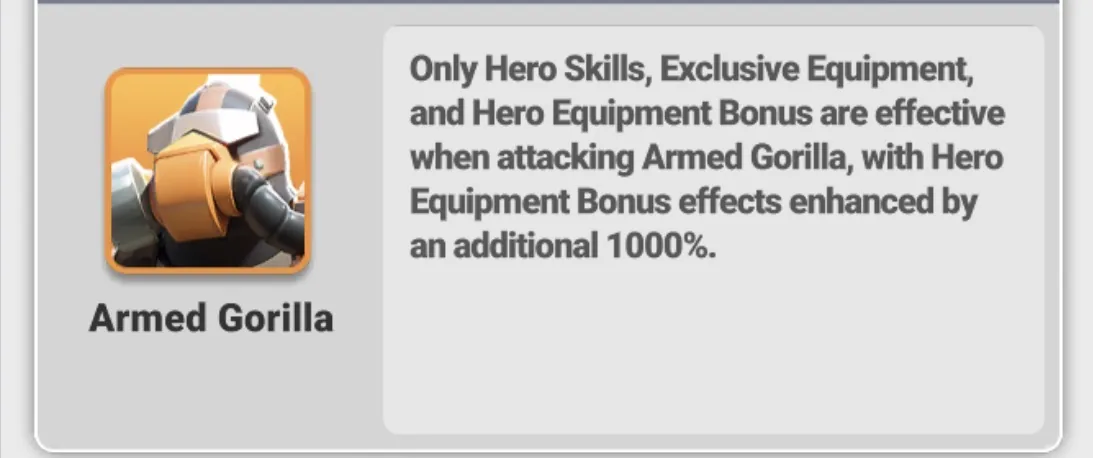
  13. Armed Gorilla bonus rule reference.

    Daily plan

    Armed Gorilla Bonus

    Damage that counts: Hero Skills, Exclusive Equipment, and Hero Equipment Bonus.

    Hero Equipment bonus effects are enhanced by an additional 1000%.

    Keep in mind
    • Start with 0 / 30 / 70.
    • Compare Bomber/Shooter splits if your best formations are not matching expected damage.
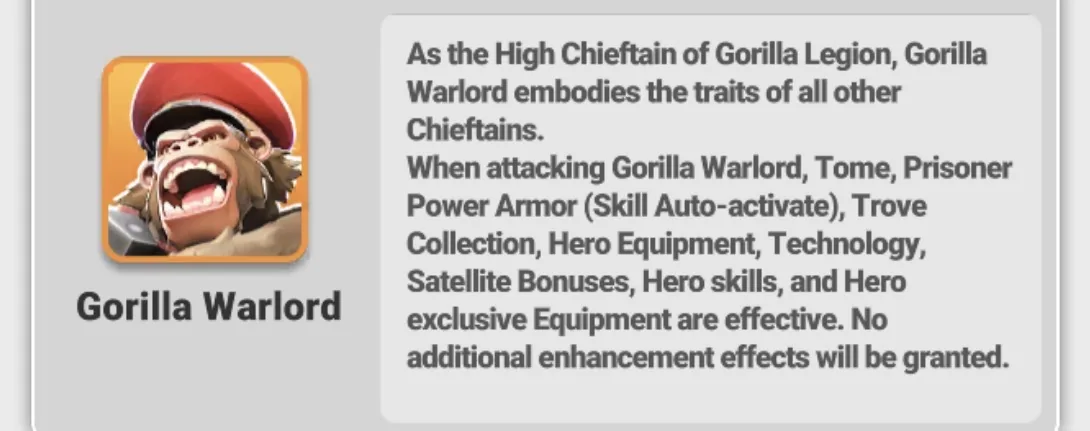
  14. Gorilla Warlord bonus rule reference.

    Daily plan

    Gorilla Warlord Bonus

    Gorilla Warlord combines the traits of the other Gorilla Chieftains.

    Damage that counts: Hero Skills, Exclusive Equipment, Tome, Prisoner Power Armour, Trove Collection, Hero Equipment, Technology, and Satellite bonuses.

    No additional enhancement effect is granted, so use reports to tune the ratio.

    Keep in mind
    • Start with 0 / 35 / 65.
    • Tune after your first report instead of assuming the same result as a single-bonus Gorilla.
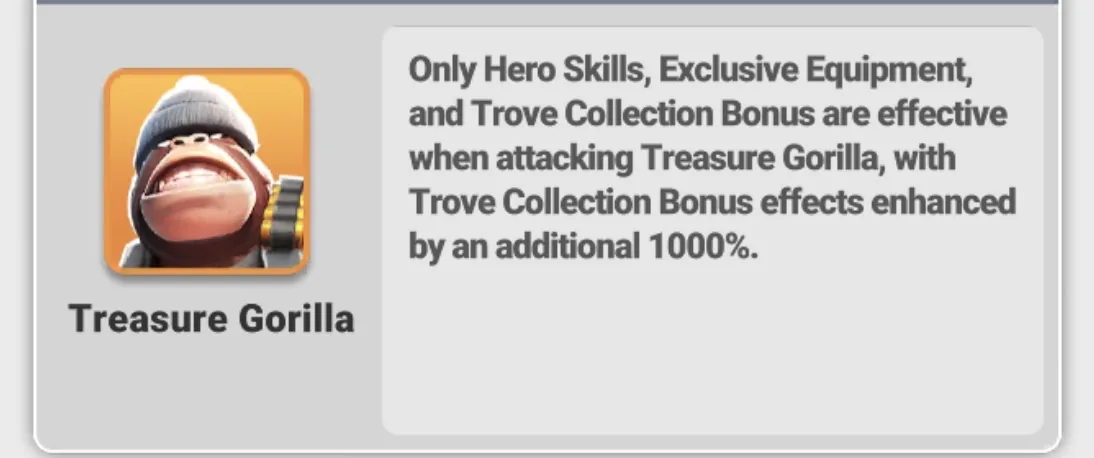
  15. Treasure Gorilla bonus rule reference.

    Daily plan

    Treasure Gorilla Bonus

    Damage that counts: Hero Skills, Exclusive Equipment, and Trove Collection Bonus.

    Trove Collection bonus effects are enhanced by an additional 1000%.

    Keep in mind
    • Start with 0 / 35 / 65.
    • This matches the example Custom Ratio setup in the guide screenshots.
  16. Annotated main screen showing the Mail button for Gorilla Legion reports.

    Daily plan

    Open Mail After a Test Hit

    Send at least one test attack early, then open Mail from the right-side menu.

    Your first report gives a real baseline for your account, formations, and the active Gorilla bonus.

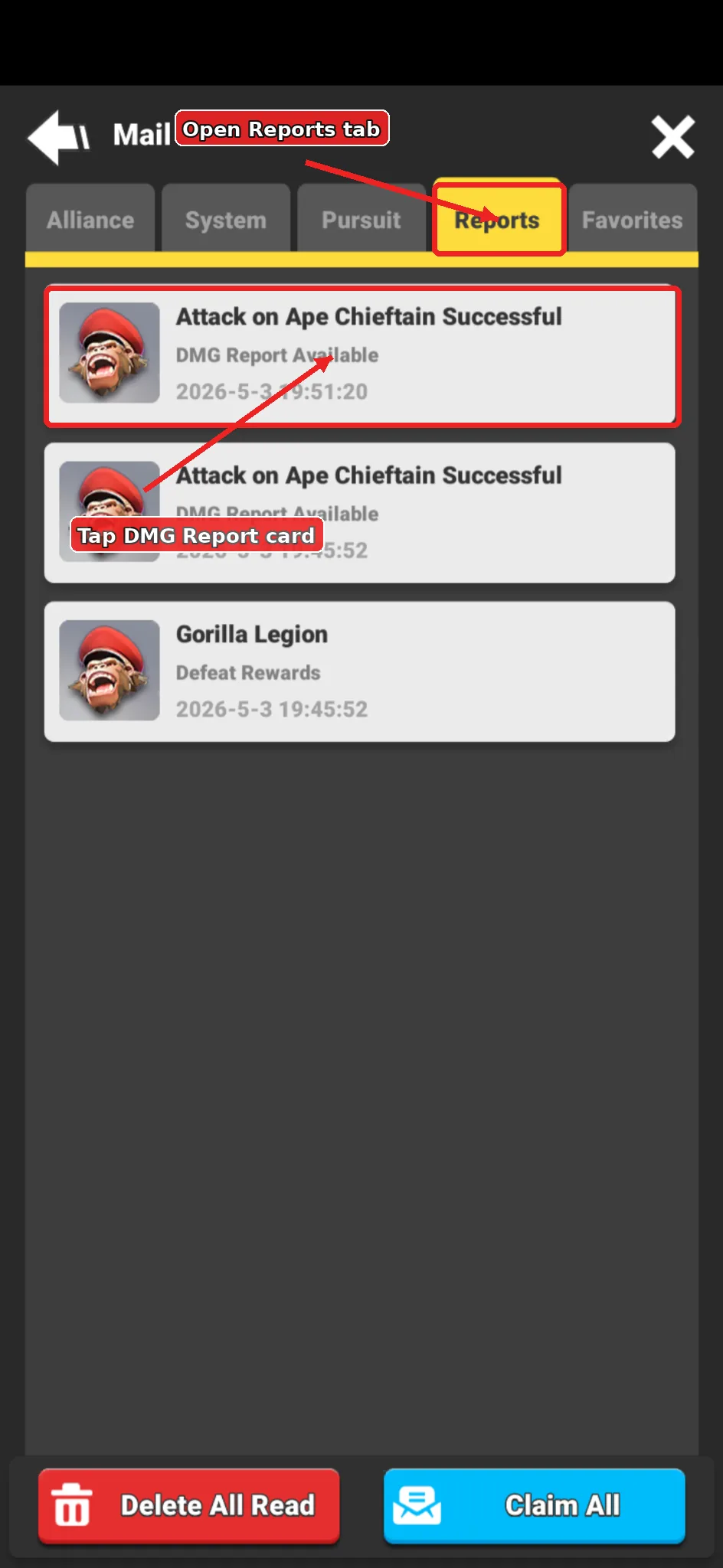
  17. Annotated Mail Reports tab showing the DMG Report Available card.

    Daily plan

    Open the DMG Report

    Go to the Reports tab and open the DMG Report Available card for the Gorilla attack.

    Use these reports to compare ratios and decide when to send later attacks.

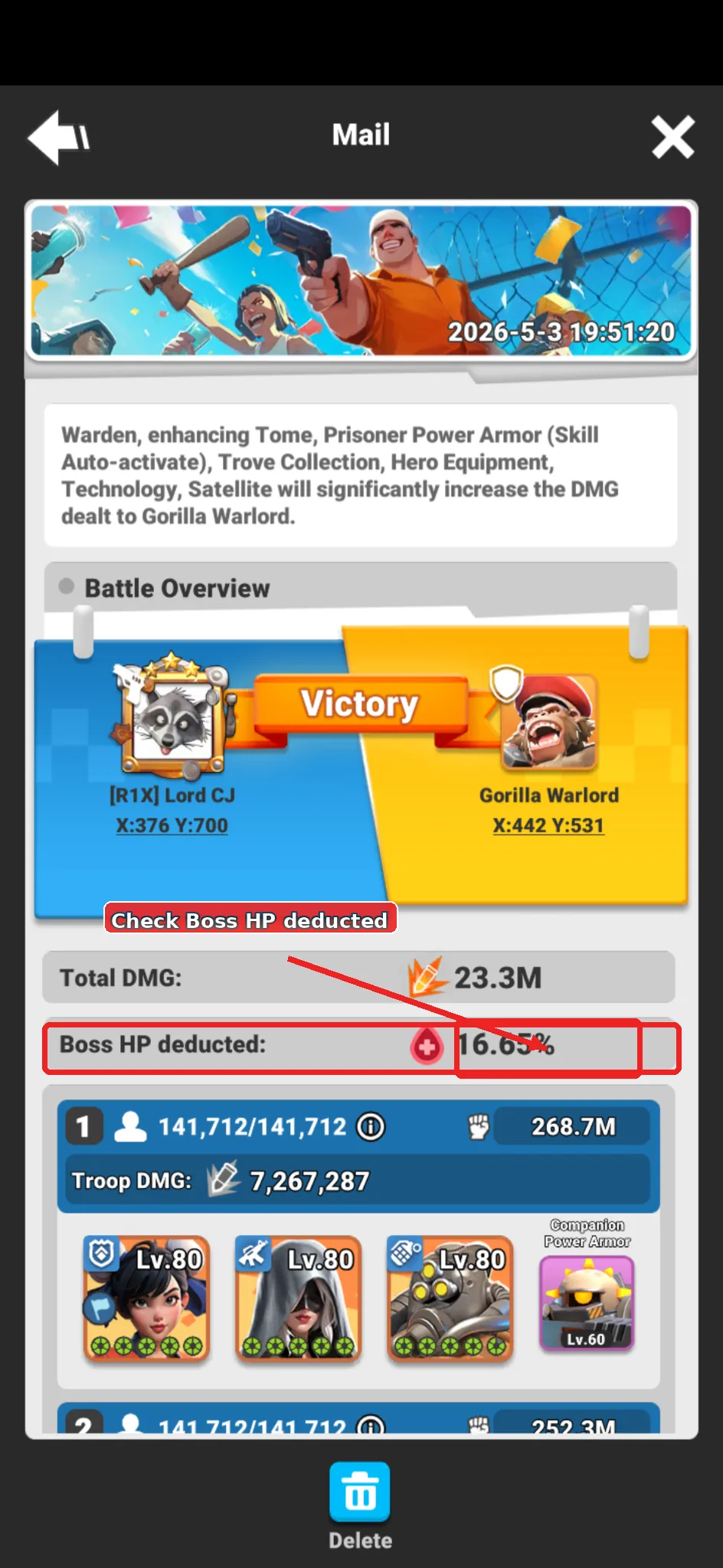
  18. Annotated Gorilla report showing the Boss HP deducted percentage.

    Daily plan

    Use Boss HP Deducted for Timing

    Check Boss HP deducted. This is the percentage of the Gorilla boss HP removed by your attack.

    If your normal hit removes about 16%, wait until the Gorilla HP is near that range before sending the next hit.

    Use march speedups only when another player may land first and the timing matters.

    Keep in mind
    • Test once early.
    • Record your Boss HP deducted percentage.
    • Time later attacks around that percentage for better finishing-hit chances.